
-DED-Zlodey
Developer
-
Joined
-
Last visited
Everything posted by -DED-Zlodey
-
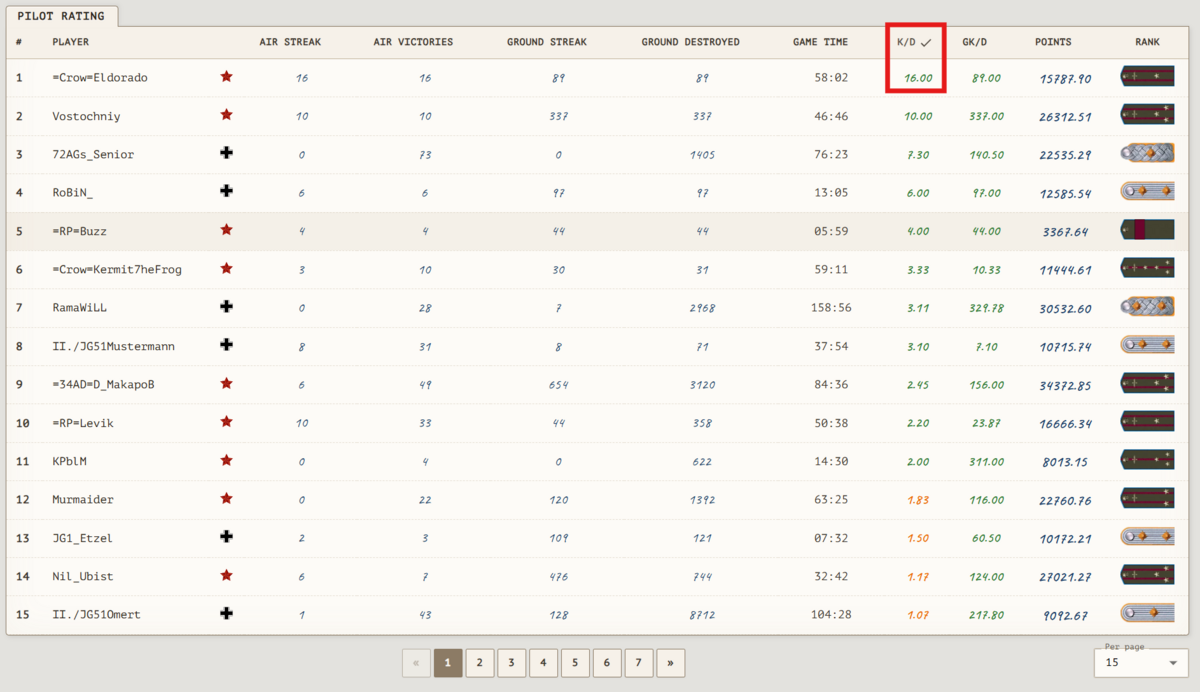
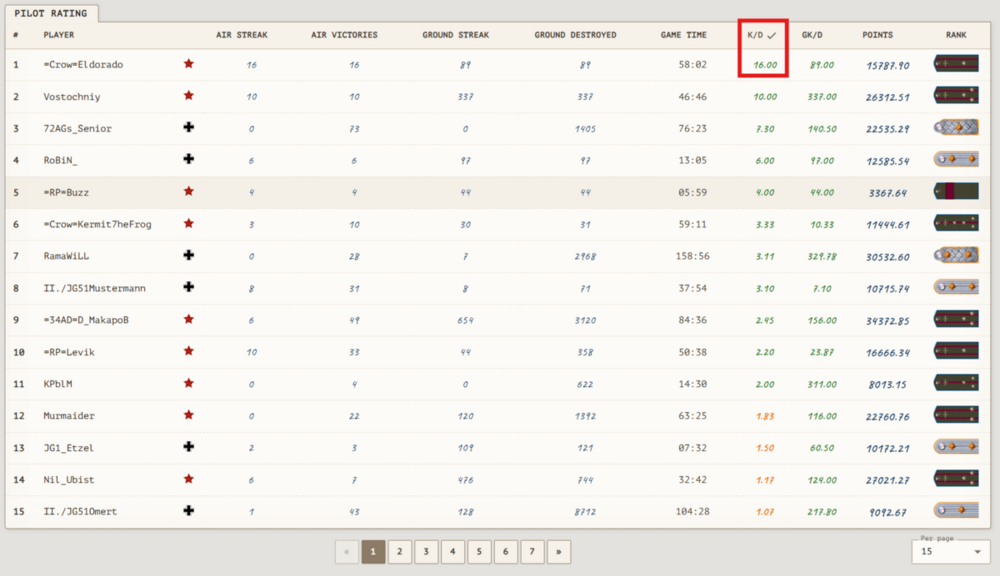
Addendum to the update: The ratings now include the option to sort by K/D and GK/D
-
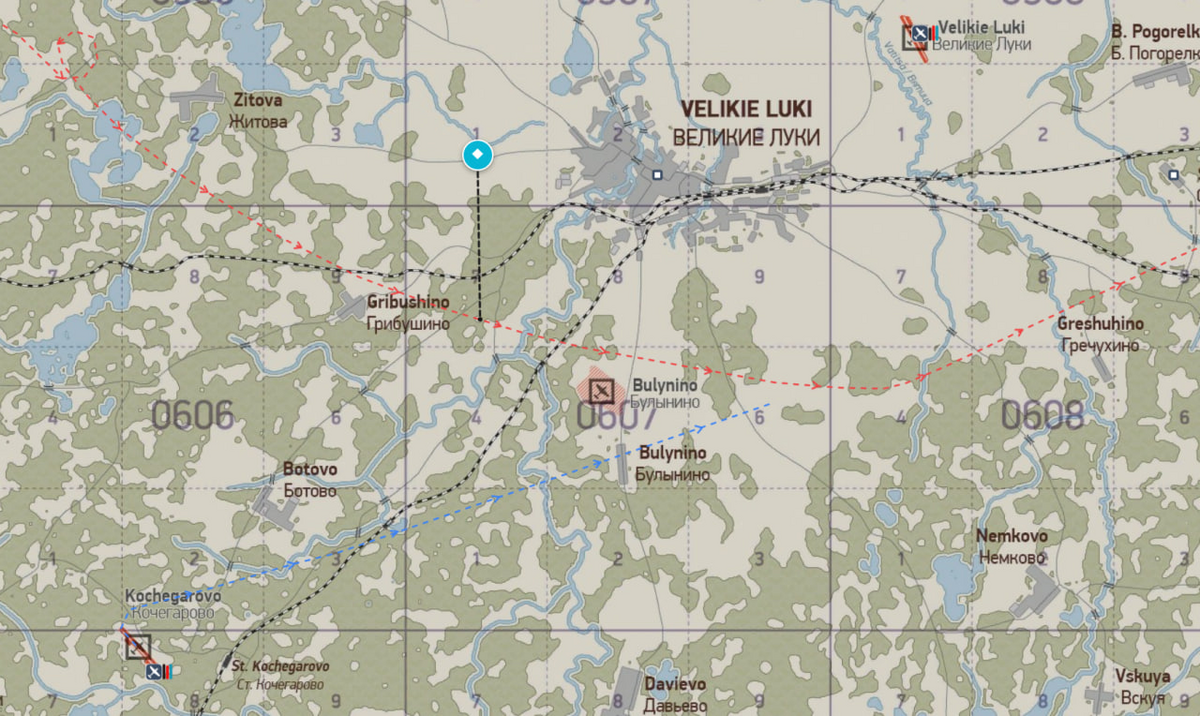
 Hello everyone! Relocation.As you probably already know, we have migrated almost the entire project's infrastructure to new hardware with a new provider. Why was this necessary? Many of you have run into the problem where the game server, although running and formally showing no signs of failure — and even letting a few players in and play — simply refused to let anyone else connect, everyone who hadn't been among the first to join. This was happening because of TSPU (Technical Means of Countering Threats). All providers in Russia are required to install TSPU, but these "things" almost always negatively affected the game server's traffic, apparently treating it as threatening. The server couldn't establish a connection, reset it, and so on in a loop for everyone who wanted to join, until the connection limits were exhausted. Every time this happened, we had to stop the game server, generate a new mission, and restart it on a different port — one on which the game server wasn't threatening anyone yet)) I can't know for sure, but I suspect TSPU also played a significant role in the disconnects. Although disconnects do happen even under ideal conditions. So, to minimize network problems, we decided to move everything to a provider that sees no threat in game servers. We hope this will improve the gaming experience for many of you. At least, we really hope so. Why are we writing about this so late, you ask? Because relocation is not the easiest of procedures, especially considering the project no longer looks like a "weekend project." We had to spend some time debugging all the processes and fixing bugs. Installing the necessary software. Besides the move itself, an update was ready that needed to be described in detail — and that's what we'll talk about below. Private messages.In anticipation of "squads" (yes, development is already underway), we've added private messages and mailings from the administration. Players will be able to correspond directly on the site, for example, to discuss joining/recruitment into a squad. On top of that, not everyone visits the forum and not everyone is up to date on the latest updates and news, so administration mailings have been added to promptly inform players about this or that event. Players can create private chats and communicate directly on the site, if that's convenient for them, of course. Even though the messages are private, discussing or posting extremist materials within the system is prohibited. Keep in mind that messages are stored in plain text. Third parties have no access to them, but an admin (mostly @undefined) may have access by writing an appropriate script to the DBMS. PvP reward.The reward for shooting down a player (2% of the victim's points and 5% of the profile's profit) is no longer mixed with points and coins from PvE. The reward is credited as a separate entry in the profile — the site shows who it was credited for and how much: "Reward for shooting down pilot <nickname> [rank: …]". The reward no longer counts toward group points and is not distributed among players in the group. The mechanics have been unified with the rewards for destroying targets (PvE) — everything is calculated and displayed the same way. Rankings and statisticsRanking values now match the profile. Previously, win streaks and playtime in the rankings were calculated using a separate formula and diverged from what you saw in your profile. Now the entire ranking (pilots and tankers) is calculated using the same formulas as the profile. As a bonus, the ranking pages now load noticeably faster. "Best of the day" fixed — the composition and order of the daily ranking now match the overall one (previously they were calculated from different sources and didn't match). Player search in the rankings fixed — the player is now highlighted on the page and row where they actually are; previously the page where the player was located was displayed incorrectly. Sortie earnings breakdown: in the session log, when you hover over points or coins, you can now see what the sortie total consists of — base points, group points, bonuses for targets or for PvP. Site time fixed. Previously, sortie times, losses, and "last sortie" in the profile were displayed inconsistently. The time zone could drift. Now the time is displayed correctly in your time zone and uniformly across the entire site. Fixed a rare loss of sortie earnings: if you shot down an aircraft at the very end of a mission and immediately ended the session, the sortie results could get wiped. That won't be lost anymore. Fog of war.The time after which the enemy receives information about changed resources at airfields has been increased to 30 minutes. In other words, you have a time lag of a full 30 minutes. Takeoff clearance sent to the in-game chat and other little things.Service messages in the in-game chat now arrive with a ~5 second delay. Previously, messages (takeoff clearance, low fuel, etc.) appeared before spawn and managed to disappear from the chat while you were still loading — you asked us to fix this. Kicks and bans, as before, take effect instantly. Mission end messages are now sent at intervals rather than in a single batch — less risk of them getting lost. Fixed statistics log reading — mission events are no longer lost due to the log file being locked by the game server. Automatic daily database backups have been set up — your progress is now more reliably protected from failures.
 -
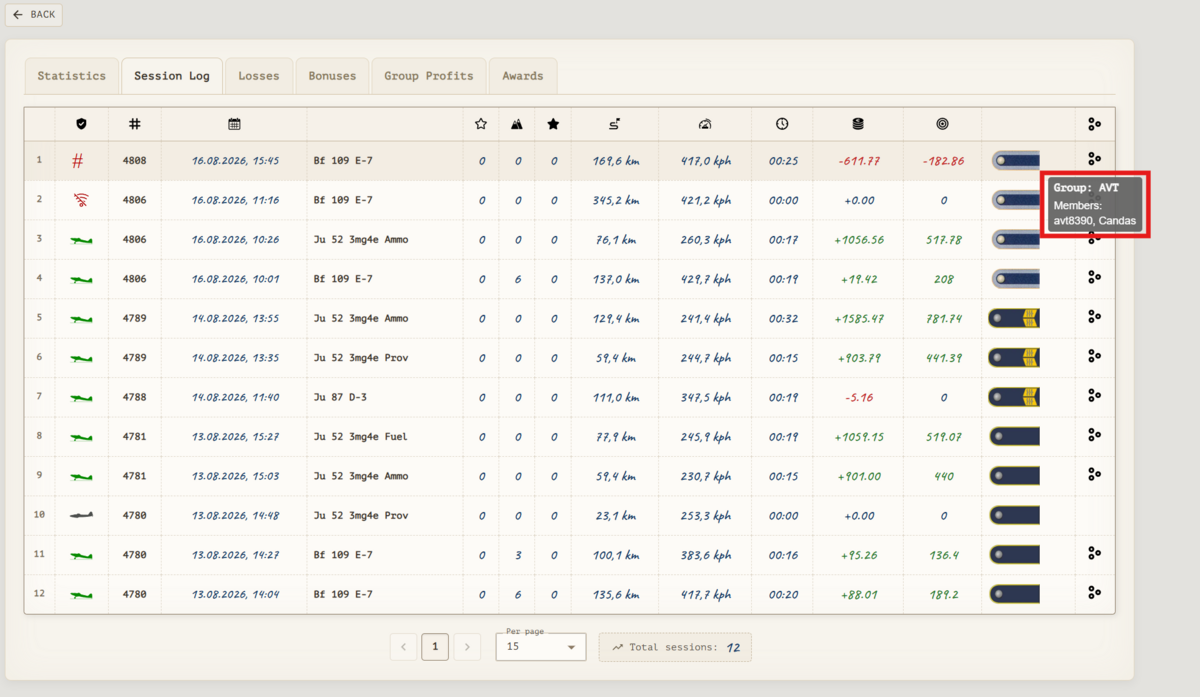
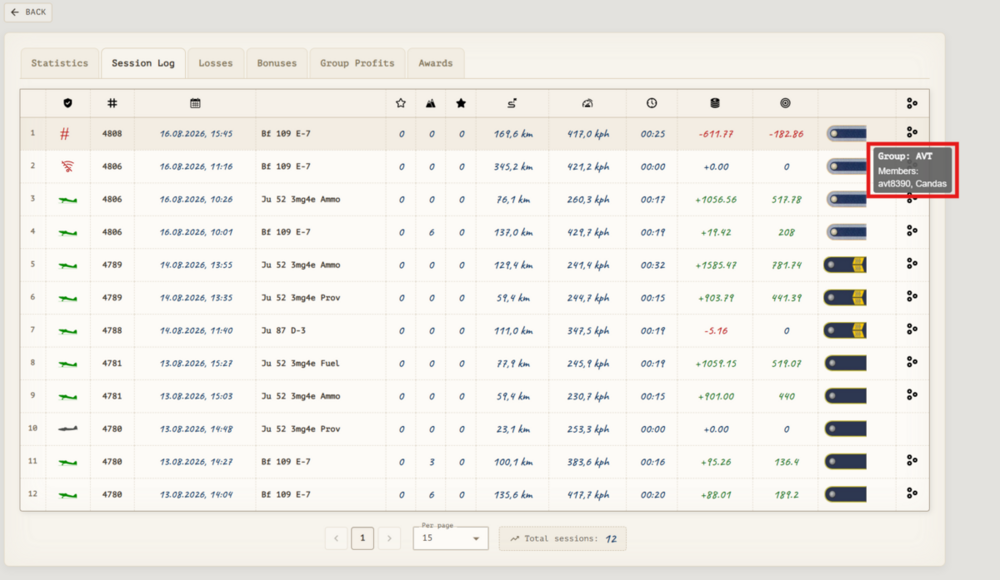
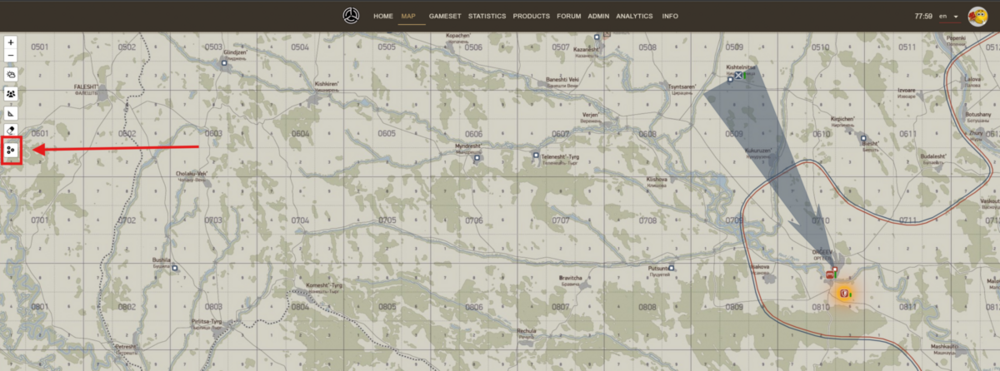
You share all your income with the other person. The player with the nickname avt8390 is the owner of the group you are part of. When you are in the group, all points and coins are added to the group’s income, not to your personal account. They are transferred to your personal account either after the group owner distributes them or at the start of the next mission. If you don’t want to share the income, especially since avt8390 isn’t flying in the current campaign, you need to leave the group.
-
Hello. The question is unclear. Please clarify what you’re referring to. Describe the comparative situations, the sessions in which you received fewer points and coins.
-
👍 ))
-
 Codebase fixes:Fixed a bug where the team received points for reflecting an attack (yes, the same bug again as in the previous update). Fixed a bug where sessions with the "disconnect" status were not displayed in the session log The session log will now show the real (negative) value for firing on friendly objects. Fixed a bug where a victory (group victory) over an ally was recorded in the flight log/personal record. Fixed incorrect display of handwritten fonts in some browsers. Kuban map graph changes:The Kuban map graph has been reworked. The starting positions of the sides have undergone significant changes. Mission duration increase:Mission time has been increased: missions from 2.40 have been increased to 3 hours, from 2 hours to 2.30, from 1 hour to 1.30. The war is increased from 45 to 55 days. The Kuban map has been reworked. Income from ground objects has been reduced by 15%. Aircraft prices have been increased by 30%. The number of coins per kill has been reduced by 30%. The number of points per kill has been reduced by 30%. Service life changes:Vehicle Side Start date End date Yak-1 ser.69 USSR unchanged 1943-12-01 → 1943-02-01 LaGG-3 ser.29 USSR unchanged 1943-08-01 → 1946-08-01 La-5 ser.8 USSR unchanged 1944-08-01 → 1944-12-01 Yak-7B ser.36 USSR unchanged 1944-05-01 → 1946-05-01 Spitfire Mk.VB USSR 1943-05-01 → 1942-10-01 unchanged I.A.R. 80-B Germany unchanged 1943-02-01 → 1944-08-01 Me 262 A Germany 1945-02-24 → 1945-01-01 unchanged Bf 109 K-4 Germany 1945-02-01 → 1944-09-01 unchanged Bf 109 E-4 Germany unchanged 1943-05-18 → 1943-05-01 Free vehicle changes:Vehicle Side Free (free) Li-2 Fuel USSR yes T-34/76 STZ(1942) USSR no Yak-1B ser.127 USSR no Pz.Kpfw.III Ausf.L Germany no Payload and modification changes:Pe-2 ser.35Ammunition loads (payloads) SHKAS-AP-450 UB-APHE-150 FAB250SV-4: rank 3 → 6 ▲3 Bf 109 G-2Modifications (unlocks) DB605A (1943) engine: rank 9 → 7 ▼2 T-34/76 UTZ (1943)Modifications (unlocks) Default: rank 0 → 4 ▲4 Armor Piercing High Explosive Shells: rank 0 → 4 ▲4 Armor Piercing Shells: rank 0 → 4 ▲4 Sub-Caliber Armor Piercing Shells: rank 0 → 4 ▲4 HE: rank 0 → 4 ▲4 6 all-steel wheels: rank 1 → 5 ▲4 8 all-steel wheels: rank 2 → 6 ▲4 Removed Fuel Tanks: rank 1 → 4 ▲3 Ammunition loads (payloads) ZIS5-CV-50 ZIS5-HE-50 DT-AP-3276: rank 0 → 6 ▲6 ZIS5-CV-25 ZIS5-AP-25 ZIS5-HV-25 ZIS5-HE-25 DT-AP-3276: rank 0 → 5 ▲5 ZIS5-CV-53 ZIS5-AP-16 ZIS5-HV-16 ZIS5-HE-16 DT-AP-3276: rank 0 → 4 ▲4 ZIS5-CV-16 ZIS5-AP-53 ZIS5-HV-16 ZIS5-HE-16 DT-AP-3276: rank 0 → 7 ▲7 ZIS5-CV-16 ZIS5-AP-16 ZIS5-HV-53 ZIS5-HE-16 DT-AP-3276: rank 0 → 8 ▲8 ZIS5-CV-16 ZIS5-AP-16 ZIS5-HV-16 ZIS5-HE-53 DT-AP-3276: rank 0 → 7 ▲7 ZIS5-CV-12 ZIS5-AP-12 ZIS5-HV-12 ZIS5-HE-12 DT-AP-3276: rank 0 → 4 ▲4 ZIS5-CV-33 ZIS5-AP-33 ZIS5-HV-33 DT-AP-3276: rank 0 → 4 ▲4 ZIS5-CV-33 ZIS5-AP-33 ZIS5-HE-33 DT-AP-3276: rank 0 → 4 ▲4 ZIS5-CV-33 ZIS5-HV-33 ZIS5-HE-33 DT-AP-3276: rank 0 → 7 ▲7 ZIS5-AP-33 ZIS5-HV-33 ZIS5-HE-33 DT-AP-3276: rank 0 → 8 ▲8 ZIS5-CV-68 ZIS5-AP-16 ZIS5-HV-16 DT-AP-3276: rank 0 → 7 ▲7 ZIS5-CV-16 ZIS5-AP-68 ZIS5-HV-16 DT-AP-3276: rank 0 → 4 ▲4 ZIS5-CV-16 ZIS5-AP-16 ZIS5-HV-68 DT-AP-3276: rank 0 → 4 ▲4 ZIS5-CV-68 ZIS5-AP-16 ZIS5-HE-16 DT-AP-3276: rank 0 → 4 ▲4 ZIS5-CV-16 ZIS5-AP-68 ZIS5-HE-16 DT-AP-3276: rank 0 → 7 ▲7 ZIS5-CV-16 ZIS5-AP-16 ZIS5-HE-68 DT-AP-3276: rank 0 → 8 ▲8 ZIS5-CV-68 ZIS5-HV-16 ZIS5-HE-16 DT-AP-3276: rank 0 → 7 ▲7 ZIS5-CV-16 ZIS5-HV-68 ZIS5-HE-16 DT-AP-3276: rank 0 → 4 ▲4 ZIS5-CV-16 ZIS5-HV-16 ZIS5-HE-68 DT-AP-3276: rank 0 → 4 ▲4 ZIS5-AP-68 ZIS5-HV-16 ZIS5-HE-16 DT-AP-3276: rank 0 → 4 ▲4 ZIS5-AP-16 ZIS5-HV-68 ZIS5-HE-16 DT-AP-3276: rank 0 → 7 ▲7 ZIS5-AP-16 ZIS5-HV-16 ZIS5-HE-68 DT-AP-3276: rank 0 → 8 ▲8 ZIS5-CV-16 ZIS5-AP-16 ZIS5-HV-16 DT-AP-3276: rank 0 → 7 ▲7 ZIS5-CV-16 ZIS5-AP-16 ZIS5-HE-16 DT-AP-3276: rank 0 → 4 ▲4 ZIS5-CV-16 ZIS5-HV-16 ZIS5-HE-16 DT-AP-3276: rank 0 → 4 ▲4 ZIS5-AP-16 ZIS5-HV-16 ZIS5-HE-16 DT-AP-3276: rank 0 → 4 ▲4 ZIS5-CV-50 ZIS5-HE-50 DT-AP-3276: rank 0 → 7 ▲7 ZIS5-CV-50 ZIS5-AP-50 DT-AP-3276: rank 0 → 8 ▲8 ZIS5-CV-50 ZIS5-HV-50 DT-AP-3276: rank 0 → 7 ▲7 ZIS5-AP-50 ZIS5-HV-50 DT-AP-3276: rank 0 → 4 ▲4 ZIS5-AP-50 ZIS5-HE-50 DT-AP-3276: rank 0 → 4 ▲4 ZIS5-HV-50 ZIS5-HE-50 DT-AP-3276: rank 0 → 4 ▲4 ZIS5-CV-67 ZIS5-AP-33 DT-AP-3276: rank 0 → 7 ▲7 ZIS5-CV-33 ZIS5-AP-67 DT-AP-3276: rank 0 → 8 ▲8 ZIS5-CV-67 ZIS5-HV-33 DT-AP-3276: rank 0 → 7 ▲7 ZIS5-CV-33 ZIS5-HV-67 DT-AP-3276: rank 0 → 4 ▲4 ZIS5-CV-67 ZIS5-HE-33 DT-AP-3276: rank 0 → 4 ▲4 ZIS5-CV-33 ZIS5-HE-67 DT-AP-3276: rank 0 → 4 ▲4 ZIS5-AP-67 ZIS5-HV-33 DT-AP-3276: rank 0 → 7 ▲7 ZIS5-AP-33 ZIS5-HV-67 DT-AP-3276: rank 0 → 7 ▲7 ZIS5-AP-67 ZIS5-HE-33 DT-AP-3276: rank 0 → 8 ▲8 ZIS5-AP-33 ZIS5-HE-67 DT-AP-3276: rank 0 → 8 ▲8 ZIS5-HV-67 ZIS5-HE-33 DT-AP-3276: rank 0 → 7 ▲7 ZIS5-HV-33 ZIS5-HE-67 DT-AP-3276: rank 0 → 7 ▲7 ZIS5-CV-25 ZIS5-AP-25 DT-AP-3276: rank 0 → 4 ▲4 ZIS5-CV-25 ZIS5-HV-25 DT-AP-3276: rank 0 → 4 ▲4 ZIS5-CV-25 ZIS5-HE-25 DT-AP-3276: rank 0 → 4 ▲4 ZIS5-AP-25 ZIS5-HE-25 DT-AP-3276: rank 0 → 8 ▲8 ZIS5-AP-25 ZIS5-HE-25 DT-AP-3276: rank 0 → 8 ▲8 ZIS5-HV-25 ZIS5-HE-25 DT-AP-3276: rank 0 → 7 ▲7 ZIS5-CV-100 DT-AP-3276: rank 0 → 4 ▲4 ZIS5-AP-100 DT-AP-3276: rank 0 → 8 ▲8 ZIS5-HV-100 DT-AP-3276: rank 0 → 7 ▲7 ZIS5-HE-100 DT-AP-3276: rank 0 → 9 ▲9 ZIS5-CV-50 DT-AP-3276: rank 0 → 4 ▲4 ZIS5-AP-50 DT-AP-3276: rank 0 → 8 ▲8 ZIS5-HV-50 DT-AP-3276: rank 0 → 7 ▲7 ZIS5-HE-50 DT-AP-3276: rank 0 → 9 ▲9 T-34/76 STZ(1942)Modifications (unlocks) HE: rank 2 → 0 ▼2 Ammunition loads (payloads) F34-CV-38 F34-HE-38 DT-AP-2898: rank 0 → 3 ▲3 F34-CV-19 F34-AP-19 F34-HV-19 F34-HE-19 DT-AP-2898: rank 0 → 1 ▲1 F34-CV-14 F34-AP-35 F34-HV-14 F34-HE-14 DT-AP-2898: rank 0 → 1 ▲1 F34-CV-14 F34-AP-14 F34-HV-35 F34-HE-14 DT-AP-2898: rank 0 → 1 ▲1 F34-CV-14 F34-AP-14 F34-HV-14 F34-HE-35 DT-AP-2898: rank 0 → 1 ▲1 F34-CV-12 F34-AP-12 F34-HV-12 F34-HE-12 DT-AP-2898: rank 0 → 1 ▲1 F34-CV-14 F34-HV-14 F34-HE-14 DT-AP-2898: rank 0 → 1 ▲1 F34-AP-14 F34-HV-14 F34-HE-14 DT-AP-2898: rank 0 → 2 ▲2 F34-CV-49 F34-AP-14 F34-HV-14 DT-AP-2898: rank 1 → 0 ▼1 F34-CV-49 F34-AP-14 F34-HE-14 DT-AP-2898: rank 0 → 1 ▲1 F34-CV-14 F34-AP-49 F34-HE-14 DT-AP-2898: rank 0 → 1 ▲1 F34-CV-14 F34-AP-14 F34-HE-49 DT-AP-2898: rank 0 → 1 ▲1 F34-CV-49 F34-HV-14 F34-HE-14 DT-AP-2898: rank 0 → 1 ▲1 F34-CV-14 F34-HV-49 F34-HE-14 DT-AP-2898: rank 0 → 1 ▲1 F34-CV-14 F34-HV-14 F34-HE-49 DT-AP-2898: rank 0 → 1 ▲1 F34-AP-49 F34-HV-14 F34-HE-14 DT-AP-2898: rank 0 → 2 ▲2 F34-AP-14 F34-HV-49 F34-HE-14 DT-AP-2898: rank 0 → 2 ▲2 F34-AP-14 F34-HV-14 F34-HE-49 DT-AP-2898: rank 0 → 2 ▲2 F34-CV-14 F34-AP-14 F34-HE-14 DT-AP-2898: rank 0 → 1 ▲1 F34-CV-14 F34-HV-14 F34-HE-14 DT-AP-2898: rank 0 → 1 ▲1 F34-AP-14 F34-HV-14 F34-HE-14 DT-AP-2898: rank 0 → 2 ▲2 F34-CV-38 F34-HE-38 DT-AP-2898: rank 0 → 1 ▲1 F34-AP-38 F34-HV-38 DT-AP-2898: rank 0 → 2 ▲2 F34-AP-38 F34-HE-38 DT-AP-2898: rank 0 → 3 ▲3 F34-HV-38 F34-HE-38 DT-AP-2898: rank 0 → 2 ▲2 F34-CV-63 F34-HE-14 DT-AP-2898: rank 0 → 1 ▲1 F34-CV-14 F34-HE-63 DT-AP-2898: rank 0 → 1 ▲1 F34-AP-63 F34-HV-14 DT-AP-2898: rank 0 → 2 ▲2 F34-AP-14 F34-HV-63 DT-AP-2898: rank 0 → 2 ▲2 F34-AP-63 F34-HE-14 DT-AP-2898: rank 0 → 3 ▲3 F34-AP-14 F34-HE-63 DT-AP-2898: rank 0 → 3 ▲3 F34-HV-63 F34-HE-14 DT-AP-2898: rank 0 → 2 ▲2 F34-HV-14 F34-HE-63 DT-AP-2898: rank 0 → 2 ▲2 F34-CV-19 F34-HE-19 DT-AP-2898: rank 0 → 1 ▲1 F34-AP-19 F34-HE-19 DT-AP-2898: rank 0 → 3 ▲3 F34-AP-19 F34-HE-19 DT-AP-2898: rank 0 → 3 ▲3 F34-HV-19 F34-HE-19 DT-AP-2898: rank 0 → 2 ▲2 F34-AP-100 DT-AP-2898: rank 0 → 3 ▲3 F34-HV-100 DT-AP-2898: rank 0 → 2 ▲2 F34-HE-100 DT-AP-2898: rank 0 → 4 ▲4 F34-AP-38 DT-AP-2898: rank 0 → 3 ▲3 F34-HV-38 DT-AP-2898: rank 0 → 2 ▲2 F34-HE-38 DT-AP-2898: rank 0 → 4 ▲4 Pz.Kpfw.III Ausf.MModifications (unlocks) Armour Piercing High Explosive Shells: rank 1 → 0 ▼1 Sub-Caliber Armour Piercing Shells: rank 2 → 0 ▼2 Additional armor plates: rank 1 → 3 ▲2 Smoke Mortars: rank 0 → 4 ▲4 Ammunition loads (payloads) KWK39-CV-42 KWK39-HE-42 MG34-AP-3750: rank 0 → 3 ▲3 KWK39-CV-28 KWK39-HV-28 KWK39-HE-28 MG34-AP-3750: rank 0 → 2 ▲2 KWK39-CV-56 KWK39-HV-14 KWK39-HE-14 MG34-AP-3750: rank 0 → 1 ▲1 KWK39-CV-14 KWK39-HV-56 KWK39-HE-14 MG34-AP-3750: rank 0 → 3 ▲3 KWK39-CV-42 KWK39-HE-22 MG34-AP-3750: rank 0 → 2 ▲2 KWK39-CV-42 KWK39-HV-42 MG34-AP-3750: rank 0 → 2 ▲2 KWK39-CV-42 KWK39-HE-42 MG34-AP-3750: rank 0 → 3 ▲3 KWK39-CV-69 KWK39-HV-14 MG34-AP-3750: rank 0 → 1 ▲1 KWK39-CV-14 KWK39-HV-69 MG34-AP-3750: rank 0 → 2 ▲2 KWK39-CV-69 KWK39-HE-14 MG34-AP-3750: rank 0 → 1 ▲1 KWK39-CV-14 KWK39-HE-69 MG34-AP-3750: rank 0 → 3 ▲3 KWK39-CV-69 KWK39-HE-14 MG34-AP-3750: rank 0 → 2 ▲2 KWK39-CV-14 KWK39-HE-69 MG34-AP-3750: rank 0 → 4 ▲4 KWK39-CV-28 KWK39-HV-28 MG34-AP-3750: rank 0 → 2 ▲2 KWK39-CV-28 KWK39-HE-28 MG34-AP-3750: rank 0 → 3 ▲3 KWK39-HV-28 KWK39-HE-28 MG34-AP-3750: rank 0 → 4 ▲4 KWK39-HV-84 MG34-AP-3750: rank 0 → 3 ▲3 KWK39-HE-84 MG34-AP-3750: rank 0 → 5 ▲5 KWK39-HV-42 MG34-AP-3750: rank 0 → 3 ▲3 KWK39-HE-42 MG34-AP-3750: rank 0 → 4 ▲4 Pz.Kpfw.III Ausf.LModifications (unlocks) HE: rank 3 → 0 ▼3 Ammunition loads (payloads) KWK39-CV-46 KWK39-HE-46 MG34-AP-4950: rank 0 → 3 ▲3 KWK39-CV-23 KWK39-HV-23 KWK39-HE-23 MG34-AP-4950: rank 0 → 2 ▲2 KWK39-CV-60 KWK39-HV-15 KWK39-HE-15 MG34-AP-4950: rank 0 → 1 ▲1 KWK39-CV-15 KWK39-HV-60 KWK39-HE-15 MG34-AP-4950: rank 0 → 3 ▲3 KWK39-CV-15 KWK39-HV-15 KWK39-HE-15 MG34-AP-4950: rank 0 → 3 ▲3 KWK39-CV-46 KWK39-HE-22 MG34-AP-4950: rank 0 → 3 ▲3 KWK39-CV-46 KWK39-HV-46 MG34-AP-4950: rank 0 → 1 ▲1 KWK39-CV-46 KWK39-HE-46 MG34-AP-4950: rank 0 → 3 ▲3 KWK39-CV-76 KWK39-HV-15 MG34-AP-4950: rank 0 → 1 ▲1 KWK39-CV-15 KWK39-HV-76 MG34-AP-4950: rank 0 → 1 ▲1 KWK39-CV-76 KWK39-HE-15 MG34-AP-4950: rank 0 → 3 ▲3 KWK39-CV-15 KWK39-HE-76 MG34-AP-4950: rank 0 → 3 ▲3 KWK39-CV-76 KWK39-HE-15 MG34-AP-4950: rank 0 → 3 ▲3 KWK39-CV-15 KWK39-HE-76 MG34-AP-4950: rank 0 → 3 ▲3 KWK39-CV-23 KWK39-HV-23 MG34-AP-4950: rank 0 → 1 ▲1 KWK39-CV-23 KWK39-HE-23 MG34-AP-4950: rank 0 → 3 ▲3 KWK39-HV-23 KWK39-HE-23 MG34-AP-4950: rank 0 → 3 ▲3 KWK39-HV-92 MG34-AP-4950: rank 0 → 1 ▲1 KWK39-HE-92 MG34-AP-4950: rank 0 → 4 ▲4 KWK39-HV-46 MG34-AP-4950: rank 0 → 1 ▲1 KWK39-HE-46 MG34-AP-4950: rank 0 → 3 ▲3 SU-122 UZTM (1943)Modifications (unlocks) Default: rank 1 → 6 ▲5 HE: rank 1 → 6 ▲5 High Explosive Anti-Tank Shells: rank 2 → 6 ▲4 Removed Fuel Tanks: rank 2 → 6 ▲4 Ammunition loads (payloads) M30S-HE-20 M30S-HT-20: rank 1 → 8 ▲7 M30S-HE-20 M30S-HT-20: rank 1 → 8 ▲7 M30S-HE-30 M30S-HT-10: rank 1 → 9 ▲8 M30S-HE-10 M30S-HT-30: rank 1 → 7 ▲6 M30S-HE-10 M30S-HT-10: rank 1 → 8 ▲7 M30S-HE-40: rank 1 → 10 ▲9 M30S-HT-40: rank 1 → 6 ▲5 M30S-HE-20: rank 1 → 9 ▲8 M30S-HE-10: rank 1 → 8 ▲7 M30S-HT-20: rank 1 → 7 ▲6 M30S-HT-10: rank 1 → 6 ▲5 StuG III Ausf.GModifications (unlocks) Default: rank 1 → 3 ▲2 Armour Piercing High Explosive Shells: rank 1 → 3 ▲2 Sub-Caliber Armour Piercing Shells: rank 2 → 3 ▲1 High Explosive Anti-Tank Shells: rank 2 → 3 ▲1 HE: rank 2 → 3 ▲1 Addiotional armor plates: rank 2 → 5 ▲3 Smoke mortars: rank 2 → 5 ▲3 Ammunition loads (payloads) KWK40-CV-27 KWK40-HE-27 MG34-AP-600: rank 1 → 5 ▲4 KWK40-CV-13 KWK40-HV-13 KWK40-HT-13 KWK40-HE-13 MG34-AP-600: rank 1 → 3 ▲2 KWK40-CV-36 KWK40-HV-6 KWK40-HT-6 KWK40-HE-6 MG34-AP-600: rank 1 → 3 ▲2 KWK40-CV-6 KWK40-HV-36 KWK40-HT-6 KWK40-HE-6 MG34-AP-600: rank 1 → 3 ▲2 KWK40-CV-6 KWK40-HV-6 KWK40-HT-36 KWK40-HE-6 MG34-AP-600: rank 1 → 3 ▲2 KWK40-CV-6 KWK40-HV-6 KWK40-HT-6 KWK40-HE-36 MG34-AP-600: rank 1 → 3 ▲2 KWK40-CV-6 KWK40-HV-6 KWK40-HT-6 KWK40-HE-6 MG34-AP-600: rank 1 → 3 ▲2 KWK40-CV-18 KWK40-HV-18 KWK40-HT-18 MG34-AP-600: rank 1 → 3 ▲2 KWK40-CV-18 KWK40-HV-18 KWK40-HE-18 MG34-AP-600: rank 1 → 3 ▲2 KWK40-CV-18 KWK40-HT-18 KWK40-HE-18 MG34-AP-600: rank 1 → 3 ▲2 KWK40-HV-18 KWK40-HT-18 KWK40-HE-18 MG34-AP-600: rank 1 → 5 ▲4 KWK40-CV-36 KWK40-HV-9 KWK40-HT-9 MG34-AP-600: rank 1 → 3 ▲2 KWK40-CV-9 KWK40-HV-36 KWK40-HT-9 MG34-AP-600: rank 1 → 3 ▲2 KWK40-CV-9 KWK40-HV-9 KWK40-HT-36 MG34-AP-600: rank 1 → 3 ▲2 KWK40-CV-36 KWK40-HV-9 KWK40-HE-9 MG34-AP-600: rank 1 → 3 ▲2 KWK40-CV-9 KWK40-HV-36 KWK40-HE-9 MG34-AP-600: rank 1 → 3 ▲2 KWK40-CV-9 KWK40-HV-9 KWK40-HE-36 MG34-AP-600: rank 1 → 3 ▲2 KWK40-CV-36 KWK40-HT-9 KWK40-HE-9 MG34-AP-600: rank 1 → 3 ▲2 KWK40-CV-9 KWK40-HT-36 KWK40-HE-9 MG34-AP-600: rank 1 → 3 ▲2 KWK40-CV-9 KWK40-HT-9 KWK40-HE-36 MG34-AP-600: rank 1 → 3 ▲2 KWK40-HV-36 KWK40-HT-9 KWK40-HE-9 MG34-AP-600: rank 1 → 5 ▲4 KWK40-HV-9 KWK40-HT-36 KWK40-HE-9 MG34-AP-600: rank 1 → 5 ▲4 KWK40-HV-9 KWK40-HT-9 KWK40-HE-36 MG34-AP-600: rank 1 → 5 ▲4 KWK40-CV-9 KWK40-HV-9 KWK40-HT-9 MG34-AP-600: rank 1 → 3 ▲2 KWK40-CV-9 KWK40-HV-9 KWK40-HE-9 MG34-AP-600: rank 1 → 3 ▲2 KWK40-CV-9 KWK40-HT-9 KWK40-HE-9 MG34-AP-600: rank 1 → 3 ▲2 KWK40-HV-9 KWK40-HT-9 KWK40-HE-9 MG34-AP-600: rank 1 → 5 ▲4 KWK40-CV-27 KWK40-HE-27 MG34-AP-600: rank 1 → 3 ▲2 KWK40-CV-27 KWK40-HV-27 MG34-AP-600: rank 1 → 3 ▲2 KWK40-CV-27 KWK40-HT-27 MG34-AP-600: rank 1 → 3 ▲2 KWK40-HV-27 KWK40-HT-27 MG34-AP-600: rank 1 → 5 ▲4 KWK40-HV-27 KWK40-HT-27 MG34-AP-600: rank 1 → 5 ▲4 KWK40-HT-27 KWK40-HE-27 MG34-AP-600: rank 1 → 4 ▲3 KWK40-CV-41 KWK40-HV-13 MG34-AP-600: rank 1 → 3 ▲2 KWK40-CV-13 KWK40-HV-41 MG34-AP-600: rank 1 → 3 ▲2 KWK40-CV-41 KWK40-HT-13 MG34-AP-600: rank 1 → 3 ▲2 KWK40-CV-13 KWK40-HT-41 MG34-AP-600: rank 1 → 3 ▲2 KWK40-CV-41 KWK40-HE-13 MG34-AP-600: rank 1 → 3 ▲2 KWK40-CV-13 KWK40-HE-41 MG34-AP-600: rank 1 → 3 ▲2 KWK40-HV-41 KWK40-HT-13 MG34-AP-600: rank 1 → 5 ▲4 KWK40-HV-13 KWK40-HT-41 MG34-AP-600: rank 1 → 5 ▲4 KWK40-HV-41 KWK40-HE-13 MG34-AP-600: rank 1 → 5 ▲4 KWK40-HV-13 KWK40-HE-41 MG34-AP-600: rank 1 → 5 ▲4 KWK40-HT-41 KWK40-HE-13 MG34-AP-600: rank 1 → 4 ▲3 KWK40-HV-13 KWK40-HE-41 MG34-AP-600: rank 1 → 5 ▲4 KWK40-CV-13 KWK40-HV-13 MG34-AP-600: rank 1 → 3 ▲2 KWK40-CV-13 KWK40-HT-41 MG34-AP-600: rank 1 → 3 ▲2 KWK40-CV-13 KWK40-HE-13 MG34-AP-600: rank 1 → 3 ▲2 KWK40-HV-13 KWK40-HT-13 MG34-AP-600: rank 1 → 5 ▲4 KWK40-HV-13 KWK40-HE-13 MG34-AP-600: rank 1 → 5 ▲4 KWK40-HT-13 KWK40-HE-13 MG34-AP-600: rank 1 → 4 ▲3 KWK40-CV-54 MG34-AP-600: rank 1 → 3 ▲2 KWK40-HV-54 MG34-AP-600: rank 1 → 5 ▲4 KWK40-HT-54 MG34-AP-600: rank 1 → 4 ▲3 KWK40-HE-54 MG34-AP-600: rank 1 → 6 ▲5 KWK40-CV-27 MG34-AP-600: rank 1 → 3 ▲2 KWK40-HV-27 MG34-AP-600: rank 1 → 5 ▲4 KWK40-HT-27 MG34-AP-600: rank 1 → 4 ▲3 KWK40-HE-27 MG34-AP-600: rank 1 → 6 ▲5 Yak-9 ser.1Modifications (unlocks) Default: rank 6 → 7 ▲1 RPK-10: rank 6 → 7 ▲1 Landing light: rank 6 → 7 ▲1 Mirror: rank 7 → 8 ▲1 Reflector Gunsight: rank 6 → 7 ▲1 Ammunition loads (payloads) UB-APHE-200 SHVAK-APHE-120: rank 6 → 7 ▲1 Empty: rank 6 → 7 ▲1 KV-1s ChTZ(1943)Modifications (unlocks) Default: rank 2 → 5 ▲3 Armour Piercing High Explosive Shells: rank 2 → 5 ▲3 Armour Piercing Shells: rank 2 → 5 ▲3 Sub-Caliber Armour Piercing Shells: rank 2 → 5 ▲3 HE: rank 3 → 5 ▲2 Removed Fuel Tank: rank 2 → 5 ▲3 Ammunition loads (payloads) ZIS5-CV-56 ZIS5-HE-56 DT-AP-3087: rank 2 → 7 ▲5 ZIS5-CV-28 ZIS5-AP-28 ZIS5-HV-28 ZIS5-HE-28 DT-AP-3087: rank 2 → 5 ▲3 ZIS5-CV-53 ZIS5-AP-20 ZIS5-HV-20 ZIS5-HE-20 DT-AP-3087: rank 2 → 5 ▲3 ZIS5-CV-20 ZIS5-AP-53 ZIS5-HV-20 ZIS5-HE-20 DT-AP-3087: rank 2 → 5 ▲3 ZIS5-CV-20 ZIS5-AP-20 ZIS5-HV-53 ZIS5-HE-20 DT-AP-3087: rank 2 → 5 ▲3 ZIS5-CV-20 ZIS5-AP-20 ZIS5-HV-20 ZIS5-HE-53 DT-AP-3087: rank 2 → 5 ▲3 ZIS5-CV-15 ZIS5-AP-15 ZIS5-HV-15 ZIS5-HE-15 DT-AP-3087: rank 2 → 5 ▲3 ZIS5-CV-37 ZIS5-AP-37 ZIS5-HV-37 DT-AP-3087: rank 2 → 5 ▲3 ZIS5-CV-37 ZIS5-AP-37 ZIS5-HE-37 DT-AP-3087: rank 2 → 5 ▲3 ZIS5-CV-37 ZIS5-HV-37 ZIS5-HE-37 DT-AP-3087: rank 2 → 5 ▲3 ZIS5-AP-37 ZIS5-HV-37 ZIS5-HE-37 DT-AP-3087: rank 2 → 6 ▲4 ZIS5-CV-73 ZIS5-AP-20 ZIS5-HV-20 DT-AP-3087: rank 2 → 5 ▲3 ZIS5-CV-20 ZIS5-AP-73 ZIS5-HV-20 DT-AP-3087: rank 2 → 5 ▲3 ZIS5-CV-20 ZIS5-AP-20 ZIS5-HV-73 DT-AP-3087: rank 2 → 5 ▲3 ZIS5-CV-73 ZIS5-AP-20 ZIS5-HE-20 DT-AP-3087: rank 2 → 5 ▲3 ZIS5-CV-20 ZIS5-AP-73 ZIS5-HE-20 DT-AP-3087: rank 2 → 5 ▲3 ZIS5-CV-20 ZIS5-AP-20 ZIS5-HE-73 DT-AP-3087: rank 2 → 5 ▲3 ZIS5-CV-73 ZIS5-HV-20 ZIS5-HE-20 DT-AP-3087: rank 2 → 5 ▲3 ZIS5-CV-20 ZIS5-HV-73 ZIS5-HE-20 DT-AP-3087: rank 2 → 5 ▲3 ZIS5-CV-20 ZIS5-HV-20 ZIS5-HE-73 DT-AP-3087: rank 2 → 5 ▲3 ZIS5-AP-73 ZIS5-HV-20 ZIS5-HE-20 DT-AP-3087: rank 2 → 6 ▲4 ZIS5-AP-20 ZIS5-HV-73 ZIS5-HE-20 DT-AP-3087: rank 2 → 6 ▲4 ZIS5-AP-20 ZIS5-HV-20 ZIS5-HE-73 DT-AP-3087: rank 2 → 6 ▲4 ZIS5-CV-20 ZIS5-AP-20 ZIS5-HV-20 DT-AP-3087: rank 2 → 5 ▲3 ZIS5-CV-20 ZIS5-AP-20 ZIS5-HE-20 DT-AP-3087: rank 2 → 5 ▲3 ZIS5-CV-20 ZIS5-HV-20 ZIS5-HE-20 DT-AP-3087: rank 2 → 5 ▲3 ZIS5-AP-20 ZIS5-HV-20 ZIS5-HE-20 DT-AP-3087: rank 2 → 6 ▲4 ZIS5-CV-56 ZIS5-HE-56 DT-AP-3087: rank 2 → 5 ▲3 ZIS5-CV-56 ZIS5-AP-56 DT-AP-3087: rank 2 → 5 ▲3 ZIS5-CV-56 ZIS5-HV-56 DT-AP-3087: rank 2 → 5 ▲3 ZIS5-AP-56 ZIS5-HV-56 DT-AP-3087: rank 2 → 6 ▲4 ZIS5-AP-56 ZIS5-HE-56 DT-AP-3087: rank 2 → 7 ▲5 ZIS5-HV-56 ZIS5-HE-56 DT-AP-3087: rank 2 → 6 ▲4 ZIS5-CV-76 ZIS5-AP-37 DT-AP-3087: rank 2 → 5 ▲3 ZIS5-CV-37 ZIS5-AP-76 DT-AP-3087: rank 2 → 5 ▲3 ZIS5-CV-76 ZIS5-HV-37 DT-AP-3087: rank 2 → 5 ▲3 ZIS5-CV-37 ZIS5-HV-76 DT-AP-3087: rank 2 → 5 ▲3 ZIS5-CV-76 ZIS5-HE-37 DT-AP-3087: rank 2 → 5 ▲3 ZIS5-CV-37 ZIS5-HE-76 DT-AP-3087: rank 2 → 5 ▲3 ZIS5-AP-76 ZIS5-HV-37 DT-AP-3087: rank 2 → 6 ▲4 ZIS5-AP-37 ZIS5-HV-76 DT-AP-3087: rank 2 → 6 ▲4 ZIS5-AP-76 ZIS5-HE-37 DT-AP-3087: rank 2 → 7 ▲5 ZIS5-AP-37 ZIS5-HE-76 DT-AP-3087: rank 2 → 7 ▲5 ZIS5-HV-76 ZIS5-HE-37 DT-AP-3087: rank 2 → 6 ▲4 ZIS5-HV-37 ZIS5-HE-76 DT-AP-3087: rank 2 → 6 ▲4 ZIS5-CV-28 ZIS5-AP-28 DT-AP-3087: rank 2 → 5 ▲3 ZIS5-CV-28 ZIS5-HV-28 DT-AP-3087: rank 2 → 5 ▲3 ZIS5-CV-28 ZIS5-HE-28 DT-AP-3087: rank 2 → 5 ▲3 ZIS5-AP-28 ZIS5-HE-28 DT-AP-3087: rank 2 → 7 ▲5 ZIS5-AP-28 ZIS5-HE-28 DT-AP-3087: rank 2 → 7 ▲5 ZIS5-HV-28 ZIS5-HE-28 DT-AP-3087: rank 2 → 6 ▲4 ZIS5-CV-113 DT-AP-3087: rank 2 → 5 ▲3 ZIS5-AP-113 DT-AP-3087: rank 2 → 7 ▲5 ZIS5-HV-113 DT-AP-3087: rank 2 → 6 ▲4 ZIS5-HE-113 DT-AP-3087: rank 2 → 8 ▲6 ZIS5-CV-56 DT-AP-3087: rank 2 → 5 ▲3 ZIS5-AP-56 DT-AP-3087: rank 2 → 7 ▲5 ZIS5-HV-56 DT-AP-3087: rank 2 → 6 ▲4 ZIS5-HE-56 DT-AP-3087: rank 2 → 8 ▲6 Pz.Kpfw.IV Ausf.GModifications (unlocks) Default: rank 1 → 3 ▲2 Armour Piercing High Explosive Shells: rank 2 → 3 ▲1 High Explosive Anti-Tank Shells: rank 2 → 3 ▲1 Additional armor plates: rank 1 → 3 ▲2 Ammunition loads (payloads) KWK40-CV-43 KWK40-HE-43 MG34-AP-3450: rank 1 → 3 ▲2 KWK40-CV-21 KWK40-HV-21 KWK40-HT-21 KWK40-HE-21 MG34-AP-3450: rank 1 → 3 ▲2 KWK40-CV-45 KWK40-HV-14 KWK40-HT-14 KWK40-HE-14 MG34-AP-3450: rank 1 → 3 ▲2 KWK40-CV-14 KWK40-HV-45 KWK40-HT-14 KWK40-HE-14 MG34-AP-3450: rank 1 → 3 ▲2 KWK40-CV-14 KWK40-HV-14 KWK40-HT-45 KWK40-HE-14 MG34-AP-3450: rank 1 → 3 ▲2 KWK40-CV-14 KWK40-HV-14 KWK40-HT-14 KWK40-HE-45 MG34-AP-3450: rank 1 → 3 ▲2 KWK40-CV-10 KWK40-HV-10 KWK40-HT-10 KWK40-HE-10 MG34-AP-3450: rank 1 → 3 ▲2 KWK40-CV-29 KWK40-HV-29 KWK40-HT-29 MG34-AP-3450: rank 1 → 3 ▲2 KWK40-CV-29 KWK40-HV-29 KWK40-HE-29 MG34-AP-3450: rank 1 → 3 ▲2 KWK40-CV-29 KWK40-HT-29 KWK40-HE-29 MG34-AP-3450: rank 1 → 3 ▲2 KWK40-HV-29 KWK40-HT-29 KWK40-HE-29 MG34-AP-3450: rank 1 → 4 ▲3 KWK40-CV-59 KWK40-HV-14 KWK40-HT-14 MG34-AP-3450: rank 1 → 3 ▲2 KWK40-CV-14 KWK40-HV-59 KWK40-HT-14 MG34-AP-3450: rank 1 → 3 ▲2 KWK40-CV-14 KWK40-HV-14 KWK40-HT-59 MG34-AP-3450: rank 1 → 3 ▲2 KWK40-CV-59 KWK40-HV-14 KWK40-HE-14 MG34-AP-3450: rank 1 → 3 ▲2 KWK40-CV-14 KWK40-HV-59 KWK40-HE-14 MG34-AP-3450: rank 1 → 3 ▲2 KWK40-CV-14 KWK40-HV-14 KWK40-HE-59 MG34-AP-3450: rank 1 → 3 ▲2 KWK40-CV-59 KWK40-HT-14 KWK40-HE-14 MG34-AP-3450: rank 1 → 3 ▲2 KWK40-CV-14 KWK40-HT-59 KWK40-HE-14 MG34-AP-3450: rank 1 → 3 ▲2 KWK40-CV-14 KWK40-HT-14 KWK40-HE-59 MG34-AP-3450: rank 1 → 3 ▲2 KWK40-HV-59 KWK40-HT-14 KWK40-HE-14 MG34-AP-3450: rank 1 → 4 ▲3 KWK40-HV-14 KWK40-HT-59 KWK40-HE-14 MG34-AP-3450: rank 1 → 4 ▲3 KWK40-HV-14 KWK40-HT-14 KWK40-HE-59 MG34-AP-3450: rank 1 → 4 ▲3 KWK40-CV-14 KWK40-HV-14 KWK40-HT-14 MG34-AP-3450: rank 1 → 3 ▲2 KWK40-CV-14 KWK40-HV-14 KWK40-HE-14 MG34-AP-3450: rank 1 → 3 ▲2 KWK40-CV-14 KWK40-HT-14 KWK40-HE-14 MG34-AP-3450: rank 1 → 3 ▲2 KWK40-HV-14 KWK40-HT-14 KWK40-HE-14 MG34-AP-3450: rank 1 → 4 ▲3 KWK40-CV-43 KWK40-HE-43 MG34-AP-3450: rank 1 → 3 ▲2 KWK40-CV-43 KWK40-HV-43 MG34-AP-3450: rank 1 → 3 ▲2 KWK40-CV-43 KWK40-HT-43 MG34-AP-3450: rank 1 → 3 ▲2 KWK40-HV-43 KWK40-HT-43 MG34-AP-3450: rank 1 → 4 ▲3 KWK40-HV-43 KWK40-HE-43 MG34-AP-3450: rank 1 → 4 ▲3 KWK40-HT-43 KWK40-HE-43 MG34-AP-3450: rank 1 → 5 ▲4 KWK40-CV-73 KWK40-HV-29 MG34-AP-3450: rank 1 → 3 ▲2 KWK40-CV-29 KWK40-HV-73 MG34-AP-3450: rank 1 → 3 ▲2 KWK40-CV-73 KWK40-HT-29 MG34-AP-3450: rank 1 → 3 ▲2 KWK40-CV-29 KWK40-HT-73 MG34-AP-3450: rank 1 → 3 ▲2 KWK40-CV-73 KWK40-HE-29 MG34-AP-3450: rank 1 → 3 ▲2 KWK40-CV-29 KWK40-HE-73 MG34-AP-3450: rank 1 → 3 ▲2 KWK40-HV-73 KWK40-HT-29 MG34-AP-3450: rank 1 → 4 ▲3 KWK40-HV-29 KWK40-HT-73 MG34-AP-3450: rank 1 → 4 ▲3 KWK40-HV-73 KWK40-HE-29 MG34-AP-3450: rank 1 → 4 ▲3 KWK40-HV-29 KWK40-HE-73 MG34-AP-3450: rank 1 → 4 ▲3 KWK40-HT-73 KWK40-HE-29 MG34-AP-3450: rank 1 → 5 ▲4 KWK40-HT-29 KWK40-HE-73 MG34-AP-3450: rank 1 → 5 ▲4 KWK40-CV-21 KWK40-HV-21 MG34-AP-3450: rank 1 → 3 ▲2 KWK40-CV-21 KWK40-HT-21 MG34-AP-3450: rank 1 → 3 ▲2 KWK40-CV-21 KWK40-HE-21 MG34-AP-3450: rank 1 → 3 ▲2 KWK40-HV-21 KWK40-HE-21 MG34-AP-3450: rank 1 → 4 ▲3 KWK40-HV-21 KWK40-HE-21 MG34-AP-3450: rank 1 → 4 ▲3 KWK40-HT-21 KWK40-HE-21 MG34-AP-3450: rank 1 → 5 ▲4 KWK40-CV-87 MG34-AP-3450: rank 1 → 3 ▲2 KWK40-HV-87 MG34-AP-3450: rank 1 → 4 ▲3 KWK40-HT-87 MG34-AP-3450: rank 1 → 5 ▲4 KWK40-HE-87 MG34-AP-3450: rank 1 → 7 ▲6 KWK40-CV-43 MG34-AP-3450: rank 1 → 3 ▲2 KWK40-HV-43 MG34-AP-3450: rank 1 → 4 ▲3 KWK40-HT-43 MG34-AP-3450: rank 1 → 5 ▲4 KWK40-HE-43 MG34-AP-3450: rank 1 → 7 ▲6 Yak-9T ser.1Modifications (unlocks) Reflector Gunsight: rank 9 → 8 ▼1 P-47D-22Modifications (unlocks) Ground attack modification: rank 7 → 4 ▼3 Ammunition loads (payloads) M250-AP-2136 M64-1: rank 7 → 4 ▼3 M250-AP-1602 M64-1: rank 7 → 4 ▼3 M250-AP-1068 M64-1: rank 7 → 4 ▼3 M250-AP-3400 M64-1: rank 7 → 4 ▼3 M250-AP-2550 M64-1: rank 7 → 4 ▼3 M250-AP-1700 M64-1: rank 7 → 4 ▼3 M250-AP-2136 M64-2: rank 7 → 5 ▼2 M250-AP-1602 M64-2: rank 7 → 5 ▼2 M250-AP-1068 M64-2: rank 7 → 5 ▼2 M250-AP-3400 M64-2: rank 7 → 5 ▼2 M250-AP-2550 M64-2: rank 7 → 5 ▼2 M250-AP-1700 M64-2: rank 7 → 5 ▼2 M250-AP-2136 M64-3: rank 7 → 6 ▼1 M250-AP-1602 M64-3: rank 7 → 6 ▼1 M250-AP-1068 M64-3: rank 7 → 6 ▼1 M250-AP-3400 M64-3: rank 7 → 6 ▼1 M250-AP-2550 M64-3: rank 7 → 6 ▼1 M250-AP-1700 M64-3: rank 7 → 6 ▼1 M250-AP-2136 M65-2: rank 8 → 5 ▼3 M250-AP-1602 M65-2: rank 8 → 6 ▼2 M250-AP-1068 M65-2: rank 8 → 6 ▼2 M250-AP-3400 M65-2: rank 8 → 6 ▼2 M250-AP-2550 M65-2: rank 8 → 6 ▼2 M250-AP-1700 M65-2: rank 8 → 6 ▼2 M250-AP-2136 M65-2 M64-1: rank 8 → 6 ▼2 M250-AP-1602 M65-2 M64-1: rank 8 → 7 ▼1 M250-AP-1068 M65-2 M64-1: rank 8 → 7 ▼1 M250-AP-3400 M65-2 M64-1: rank 8 → 7 ▼1 M250-AP-2550 M65-2 M64-1: rank 8 → 7 ▼1 M250-AP-1700 M65-2 M64-1: rank 8 → 7 ▼1 M250-AP-2136 M8-6: rank 5 → 4 ▼1 M250-AP-1602 M8-6: rank 5 → 4 ▼1 M250-AP-1068 M8-6: rank 5 → 4 ▼1 M250-AP-3400 M8-6: rank 5 → 4 ▼1 M250-AP-2550 M8-6: rank 5 → 4 ▼1 M250-AP-1700 M8-6: rank 5 → 4 ▼1 M250-AP-2136 M64-1 M8-6: rank 7 → 5 ▼2 M250-AP-1602 M64-1 M8-6: rank 7 → 5 ▼2 M250-AP-3400 M64-1 M8-6: rank 7 → 5 ▼2 M250-AP-2550 M64-1 M8-6: rank 7 → 5 ▼2 M250-AP-1700 M64-1 M8-6: rank 7 → 5 ▼2 M250-AP-2136 M64-2 M8-6: rank 7 → 6 ▼1 M250-AP-1602 M64-2 M8-6: rank 7 → 6 ▼1 M250-AP-1068 M64-2 M8-6: rank 7 → 6 ▼1 M250-AP-3400 M64-2 M8-6: rank 7 → 6 ▼1 M250-AP-2550 M64-2 M8-6: rank 7 → 6 ▼1 M250-AP-1700 M64-2 M8-6: rank 7 → 6 ▼1 Spitfire Mk.IXcAmmunition loads (payloads) BRN303-AP-1400 HISMK2-APHE-280 GPB500-1: rank 8 → 7 ▼1 BRN50-AP-500 HISMK2-APHE-280 GPB500-1: rank 7 → 8 ▼1 Bf 109 G-6 LateModifications (unlocks) Default: rank 7 → 5 ▼2 MK-108 30mm gun: rank 8 → 6 ▼2 MG-151/20 gun pods: rank 8 → 6 ▼2 SD 70x4 bombs: rank 9 → 7 ▼2 SC 250 bomb: rank 8 → 6 ▼2 BR21x2: rank 8 → 6 ▼2 MW50: rank 9 → 7 ▼2 Erla Canopy: rank 7 → 5 ▼2 Ammunition loads (payloads) MG131-APHE-600 MG15120-APHE-200: rank 7 → 5 ▼2 MG131-APHE-600 MG15120-APHE-200 SD70-4: rank 9 → 7 ▼2 MG131-APHE-600 MG15120-APHE-200 SC250-1: rank 8 → 6 ▼2 MG131-APHE-600 MG15120-APHE-200 MG15120-APHE-270-add: rank 8 → 6 ▼2 MG131-APHE-600 MG15120-APHE-200 WGR21-2: rank 9 → 7 ▼2 MG131-APHE-600 MG15120-APHE-200 WGR21-2: rank 9 → 7 ▼2 MG131-APHE-600 MG15120-APHE-200 WGR21-2: rank 9 → 7 ▼2 MG131-APHE-600 MG15120-APHE-200 WGR21-2: rank 9 → 7 ▼2 MG131-APHE-600 MK108-HE-65: rank 8 → 6 ▼2 MG131-APHE-600 MK108-HE-65 SD70-4: rank 10 → 8 ▼2 MG131-APHE-600 MK108-HE-65 SC250-1: rank 9 → 7 ▼2 MG131-APHE-600 MK108-HE-65 MG15120-APHE-270-add: rank 9 → 7 ▼2 MG131-APHE-600 MK108-HE-65 WGR21-2: rank 9 → 7 ▼2 MG131-APHE-600 MK108-HE-65 WGR21-2: rank 9 → 7 ▼2 MG131-APHE-600 MK108-HE-65 WGR21-2: rank 9 → 7 ▼2 MG131-APHE-600 MK108-HE-65 WGR21-2: rank 9 → 7 ▼2 Empty: rank 7 → 5 ▼2 Me 262 AModifications (unlocks) Default: rank 11 → 10 ▼1 Gyro Gunsight: rank 12 → 11 ▼1 24 x R4M rockets: rank 12 → 11 ▼1 Armoured Head Rest: rank 11 → 10 ▼1 Back Armour: rank 11 → 10 ▼1 Removed Frontal Armo: rank 11 → 10 ▼1 Removed inner Cannons: rank 11 → 10 ▼1 Bomb load: rank 11 → 10 ▼1 Fuel regulating valve: rank 12 → 11 ▼1 Ammunition loads (payloads) MK108-HE-160 MK108-HE-200: rank 12 → 11 ▼1 MK108-HE-160: rank 12 → 11 ▼1 MK108-HE-160 MK108-HE-200 R4M-24: rank 12 → 11 ▼1 MK108-HE-160 MK108-HE-200 SC250-1: rank 11 → 10 ▼1 MK108-HE-160 MK108-HE-200 SC250-2: rank 11 → 10 ▼1 MK108-HE-160 MK108-HE-200 SC500-1: rank 11 → 10 ▼1 MK108-HE-160 SC250-1: rank 11 → 10 ▼1 MK108-HE-160 SC250-2: rank 11 → 10 ▼1 MK108-HE-160 SC500-1: rank 11 → 10 ▼1 Empty: rank 11 → 10 ▼1 SU-152 ChKZ (1943)Modifications (unlocks) Default: rank 6 → 8 ▲2 HE: rank 6 → 8 ▲2 Armor Piercing High Explosive Shells: rank 6 → 8 ▲2 Removed Fuel Tanks: rank 6 → 9 ▲3 Ammunition loads (payloads) ML20S-HE-10 ML20S-CV-10: rank 6 → 9 ▲3 ML20S-HE-10 ML20S-CV-10: rank 6 → 9 ▲3 ML20S-HE-15 ML20S-CV-5: rank 6 → 11 ▲5 ML20S-HE-5 ML20S-CV-15: rank 6 → 8 ▲2 ML20S-HE-5 ML20S-CV-5: rank 6 → 8 ▲2 ML20S-HE-20: rank 6 → 11 ▲5 ML20S-CV-20: rank 6 → 8 ▲2 ML20S-HE-10: rank 6 → 10 ▲4 ML20S-HE-5: rank 6 → 8 ▲2 ML20S-CV-10: rank 6 → 8 ▲2 ML20S-CV-5: rank 6 → 8 ▲2 M4A2Ammunition loads (payloads) M3-CV-48 M3-HE-48 M1919-AP-6750 M250-AP-1600: rank 1 → 3 ▲2 M3-CV-32 M3-AP-32 M3-HE-32 M1919-AP-6750 M250-AP-1600: rank 1 → 2 ▲1 M3-CV-16 M3-AP-16 M3-HE-65 M1919-AP-6750 M250-AP-1600: rank 1 → 4 ▲3 M3-CV-48 M3-HE-48 M1919-AP-6750 M250-AP-1600: rank 1 → 5 ▲4 M3-AP-48 M3-HE-48 M1919-AP-6750 M250-AP-1600: rank 1 → 4 ▲3 M3-CV-16 M3-HE-81 M1919-AP-6750 M250-AP-1600: rank 1 → 6 ▲5 M3-AP-16 M3-HE-81 M1919-AP-6750 M250-AP-1600: rank 1 → 6 ▲5 M3-CV-24 M3-HE-24 M1919-AP-6750 M250-AP-1600: rank 1 → 3 ▲2 M3-AP-24 M3-HE-24 M1919-AP-6750 M250-AP-1600: rank 1 → 3 ▲2 M3-AP-97 M1919-AP-6750 M250-AP-1600: rank 1 → 2 ▲1 M3-HE-97 M1919-AP-6750 M250-AP-1600: rank 1 → 7 ▲6 M3-HE-48 M1919-AP-6750 M250-AP-1600: rank 1 → 5 ▲4 Sd.Kfz.184Modifications (unlocks) Default: rank 3 → 6 ▲3 Armour Piercing High Explosive Shells: rank 3 → 6 ▲3 Sub-Caliber Armour Piercing Shells: rank 3 → 6 ▲3 HE: rank 3 → 6 ▲3 Reversed Gun mantlet shield: rank 3 → 8 ▲5 Ammunition loads (payloads) KWK43-CV-25 KWK43-HV-25: rank 3 → 6 ▲3 KWK43-CV-16 KWK43-HE-16 KWK43-HV-16: rank 3 → 7 ▲4 KWK43-CV-34 KWK43-HE-8 KWK43-HV-8: rank 3 → 6 ▲3 KWK43-CV-8 KWK43-HE-8 KWK43-HV-34: rank 3 → 7 ▲4 KWK43-CV-8 KWK43-HE-34 KWK43-HV-8: rank 3 → 8 ▲5 KWK43-CV-8 KWK43-HE-8 KWK43-HV-8: rank 3 → 7 ▲4 KWK43-CV-25 KWK43-HV-25: rank 3 → 6 ▲3 KWK43-CV-25 KWK43-HE-25: rank 3 → 6 ▲3 KWK43-HE-25 KWK43-HV-25: rank 3 → 9 ▲6 KWK43-CV-42 KWK43-HE-8: rank 3 → 6 ▲3 KWK43-CV-8 KWK43-HE-42: rank 3 → 6 ▲3 KWK43-CV-42 KWK43-HV-8: rank 3 → 6 ▲3 KWK43-CV-8 KWK43-HV-42: rank 3 → 6 ▲3 KWK43-HE-42 KWK43-HV-8: rank 3 → 9 ▲6 KWK43-HE-8 KWK43-HV-42: rank 3 → 9 ▲6 KWK43-CV-16 KWK43-HE-16: rank 3 → 6 ▲3 KWK43-CV-16 KWK43-HV-16: rank 3 → 6 ▲3 KWK43-HE-16 KWK43-HV-16: rank 3 → 9 ▲6 KWK43-CV-50: rank 3 → 6 ▲3 KWK43-HE-50: rank 3 → 11 ▲8 KWK43-HV-50: rank 3 → 9 ▲6 KWK43-CV-25: rank 3 → 6 ▲3 KWK43-HE-25: rank 3 → 11 ▲8 KWK43-HV-25: rank 3 → 9 ▲6 Pz.Kpfw.VI Ausf.H1Modifications (unlocks) Default: rank 6 → 8 ▲2 Armour Piercing High Explosive Shells: rank 6 → 8 ▲2 Sub-Caliber Armour Piercing Shells: rank 6 → 8 ▲2 High Explosive Anti-Tank ShellsHigh Explosive Anti-Tank Shells: rank 6 → 8 ▲2 HE: rank 6 → 8 ▲2 Smoke mortars: rank 6 → 11 ▲5 Ammunition loads (payloads) KWK36-CV-46 KWK36-HE-46 MG34-AP-5400: rank 6 → 10 ▲4 KWK36-CV-23 KWK36-HV-23 KWK36-HT-23 KWK36-HE-23 MG34-AP-5400: rank 6 → 8 ▲2 KWK36-CV-44 KWK36-HV-15 KWK36-HT-15 KWK36-HE-15 MG34-AP-5400: rank 6 → 8 ▲2 KWK36-CV-15 KWK36-HV-44 KWK36-HT-15 KWK36-HE-15 MG34-AP-5400: rank 6 → 8 ▲2 KWK36-CV-15 KWK36-HV-15 KWK36-HT-44 KWK36-HE-15 MG34-AP-5400: rank 6 → 8 ▲2 KWK36-CV-15 KWK36-HV-15 KWK36-HT-15 KWK36-HE-44 MG34-AP-5400: rank 6 → 8 ▲2 KWK36-CV-12 KWK36-HV-12 KWK36-HT-12 KWK36-HE-12 MG34-AP-5400: rank 6 → 8 ▲2 KWK36-CV-30 KWK36-HV-30 KWK36-HT-30 MG34-AP-5400: rank 6 → 8 ▲2 KWK36-CV-30 KWK36-HV-30 KWK36-HE-30 MG34-AP-5400: rank 6 → 8 ▲2 KWK36-CV-30 KWK36-HT-30 KWK36-HE-30 MG34-AP-5400: rank 6 → 8 ▲2 KWK36-HV-30 KWK36-HT-30 KWK36-HE-30 MG34-AP-5400: rank 6 → 9 ▲3 KWK36-CV-60 KWK36-HV-15 KWK36-HT-15 MG34-AP-5400: rank 6 → 8 ▲2 KWK36-CV-15 KWK36-HV-60 KWK36-HT-15 MG34-AP-5400: rank 6 → 8 ▲2 KWK36-CV-15 KWK36-HV-15 KWK36-HT-60 MG34-AP-5400: rank 6 → 8 ▲2 KWK36-CV-60 KWK36-HV-15 KWK36-HE-15 MG34-AP-5400: rank 6 → 8 ▲2 KWK36-CV-15 KWK36-HV-60 KWK36-HE-15 MG34-AP-5400: rank 6 → 8 ▲2 KWK36-CV-15 KWK36-HV-15 KWK36-HE-60 MG34-AP-5400: rank 6 → 8 ▲2 KWK36-CV-60 KWK36-HT-15 KWK36-HE-15 MG34-AP-5400: rank 6 → 8 ▲2 KWK36-CV-15 KWK36-HT-60 KWK36-HE-15 MG34-AP-5400: rank 6 → 8 ▲2 KWK36-CV-15 KWK36-HT-15 KWK36-HE-60 MG34-AP-5400: rank 6 → 8 ▲2 KWK36-HV-60 KWK36-HT-15 KWK36-HE-15 MG34-AP-5400: rank 6 → 9 ▲3 KWK36-HV-15 KWK36-HT-60 KWK36-HE-15 MG34-AP-5400: rank 6 → 9 ▲3 KWK36-HV-15 KWK36-HT-15 KWK36-HE-60 MG34-AP-5400: rank 6 → 9 ▲3 KWK36-CV-15 KWK36-HV-15 KWK36-HT-15 MG34-AP-5400: rank 6 → 8 ▲2 KWK36-CV-15 KWK36-HV-15 KWK36-HE-15 MG34-AP-5400: rank 6 → 8 ▲2 KWK36-CV-15 KWK36-HT-15 KWK36-HE-15 MG34-AP-5400: rank 6 → 8 ▲2 KWK36-HV-15 KWK36-HT-15 KWK36-HE-15 MG34-AP-5400: rank 6 → 9 ▲3 KWK36-CV-46 KWK36-HE-46 MG34-AP-5400: rank 6 → 8 ▲2 KWK36-CV-46 KWK36-HV-46 MG34-AP-5400: rank 6 → 8 ▲2 KWK36-CV-46 KWK36-HT-46 MG34-AP-5400: rank 6 → 8 ▲2 KWK36-HV-46 KWK36-HT-46 MG34-AP-5400: rank 6 → 9 ▲3 KWK36-HV-46 KWK36-HE-46 MG34-AP-5400: rank 6 → 9 ▲3 KWK36-HT-46 KWK36-HE-46 MG34-AP-5400: rank 6 → 10 ▲4 KWK36-CV-76 KWK36-HV-30 MG34-AP-5400: rank 6 → 8 ▲2 KWK36-CV-30 KWK36-HV-76 MG34-AP-5400: rank 6 → 8 ▲2 KWK36-CV-76 KWK36-HT-30 MG34-AP-5400: rank 6 → 8 ▲2 KWK36-CV-30 KWK36-HT-76 MG34-AP-5400: rank 6 → 8 ▲2 KWK36-CV-76 KWK36-HE-30 MG34-AP-5400: rank 6 → 8 ▲2 KWK36-CV-30 KWK36-HE-76 MG34-AP-5400: rank 6 → 8 ▲2 KWK36-HV-76 KWK36-HT-30 MG34-AP-5400: rank 6 → 9 ▲3 KWK36-HV-30 KWK36-HT-76 MG34-AP-5400: rank 6 → 9 ▲3 KWK36-HV-76 KWK36-HE-30 MG34-AP-5400: rank 6 → 9 ▲3 KWK36-HV-30 KWK36-HE-76 MG34-AP-5400: rank 6 → 9 ▲3 KWK36-HT-76 KWK36-HE-30 MG34-AP-5400: rank 6 → 10 ▲4 KWK36-HT-30 KWK36-HE-76 MG34-AP-5400: rank 6 → 10 ▲4 KWK36-CV-23 KWK36-HV-23 MG34-AP-5400: rank 6 → 8 ▲2 KWK36-CV-23 KWK36-HT-23 MG34-AP-5400: rank 6 → 8 ▲2 KWK36-CV-23 KWK36-HE-23 MG34-AP-5400: rank 6 → 8 ▲2 KWK36-HV-23 KWK36-HE-23 MG34-AP-5400: rank 6 → 9 ▲3 KWK36-HV-23 KWK36-HE-23 MG34-AP-5400: rank 6 → 9 ▲3 KWK36-HT-23 KWK36-HE-23 MG34-AP-5400: rank 6 → 10 ▲4 KWK36-CV-92 MG34-AP-5400: rank 6 → 8 ▲2 KWK36-HV-92 MG34-AP-5400: rank 6 → 9 ▲3 KWK36-HT-92 MG34-AP-5400: rank 6 → 10 ▲4 KWK36-HE-92 MG34-AP-5400: rank 6 → 11 ▲5 KWK36-CV-46 MG34-AP-5400: rank 6 → 8 ▲2 KWK36-HV-46 MG34-AP-5400: rank 6 → 9 ▲3 KWK36-HT-46 MG34-AP-5400: rank 6 → 10 ▲4 KWK36-HE-46 MG34-AP-5400: rank 6 → 11 ▲5 Pz.Kpfw.V Ausf.DModifications (unlocks) Default: rank 3 → 7 ▲4 Armour Piercing High Explosive Shells: rank 3 → 7 ▲4 Sub-Caliber Armour Piercing Shells: rank 3 → 7 ▲4 HE: rank 3 → 7 ▲4 Removed Additional armor plates: rank 3 → 7 ▲4 Smoke mortars: rank 3 → 9 ▲6 Ammunition loads (payloads) KWK42-CV-39 KWK42-HE-39 MG34-AP-5100: rank 3 → 9 ▲6 KWK42-CV-26 KWK42-HV-26 KWK42-HE-26 MG34-AP-5100: rank 3 → 8 ▲5 KWK42-CV-53 KWK42-HV-13 KWK42-HE-13 MG34-AP-5100: rank 3 → 7 ▲4 KWK42-CV-13 KWK42-HV-13 KWK42-HE-13 MG34-AP-5100: rank 3 → 7 ▲4 KWK42-CV-13 KWK42-HV-53 KWK42-HE-13 MG34-AP-5100: rank 3 → 7 ▲4 KWK42-CV-13 KWK42-HV-13 KWK42-HE-13 MG34-AP-5100: rank 3 → 7 ▲4 KWK42-CV-39 KWK42-HE-22 MG34-AP-5100: rank 3 → 8 ▲5 KWK42-CV-39 KWK42-HV-39 MG34-AP-5100: rank 3 → 7 ▲4 KWK42-CV-39 KWK42-HE-39 MG34-AP-5100: rank 3 → 7 ▲4 KWK42-CV-66 KWK42-HV-13 MG34-AP-5100: rank 3 → 7 ▲4 KWK42-CV-13 KWK42-HV-66 MG34-AP-5100: rank 3 → 7 ▲4 KWK42-CV-66 KWK42-HE-13 MG34-AP-5100: rank 3 → 7 ▲4 KWK42-CV-13 KWK42-HE-66 MG34-AP-5100: rank 3 → 7 ▲4 KWK42-CV-66 KWK42-HE-13 MG34-AP-5100: rank 3 → 7 ▲4 KWK42-CV-13 KWK42-HE-66 MG34-AP-5100: rank 3 → 7 ▲4 KWK42-CV-19 KWK42-HV-19 MG34-AP-5100: rank 3 → 7 ▲4 KWK42-CV-19 KWK42-HE-19 MG34-AP-5100: rank 3 → 7 ▲4 KWK42-HV-19 KWK42-HE-19 MG34-AP-5100: rank 3 → 8 ▲5 KWK42-CV-79 MG34-AP-5100: rank 3 → 7 ▲4 KWK42-HV-79 MG34-AP-5100: rank 3 → 8 ▲5 KWK42-HE-79 MG34-AP-5100: rank 3 → 10 ▲7 KWK42-CV-39 MG34-AP-5100: rank 3 → 7 ▲4 KWK42-HV-39 MG34-AP-5100: rank 3 → 8 ▲5 KWK42-HE-39 MG34-AP-5100: rank 3 → 10 ▲7 Yak-3 ser.9Modifications (unlocks) Default: rank 9 → 8 ▼1 UBS: rank 10 → 9 ▼1 Ammunition loads (payloads) SHVAK-APHE-125 UB-APHE-175: rank 9 → 8 ▼1 Empty: rank 9 → 8 ▼1 Fw 190 D-9Modifications (unlocks) Default: rank 8 → 9 ▲1 SD 70x4 bombs: rank 10 → 11 ▲1 SC 250 bomb: rank 9 → 10 ▲1 SC 500 bomb: rank 11 → 12 ▲1 BR21x2: rank 8 → 9 ▲1 24 x R4M rockets: rank 9 → 10 ▲1 Gyro Gunsight: rank 9 → 10 ▲1 Bubble Canopy: rank 8 → 9 ▲1 Ammunition loads (payloads) MG131-APHE-950 MG15120-APHE-500: rank 8 → 9 ▲1 MG131-APHE-950 MG15120-APHE-500 SD70-4: rank 10 → 11 ▲1 MG131-APHE-950 MG15120-APHE-500 SC250-1: rank 9 → 10 ▲1 MG131-APHE-950 MG15120-APHE-500 WGR21-2: rank 8 → 9 ▲1 MG131-APHE-950 MG15120-APHE-500 WGR21-2: rank 8 → 9 ▲1 MG131-APHE-950 MG15120-APHE-500 WGR21-2: rank 8 → 9 ▲1 MG131-APHE-950 MG15120-APHE-500 WGR21-2: rank 8 → 9 ▲1 MG131-APHE-950 MG15120-APHE-500 R4M-24: rank 9 → 10 ▲1 Empty: rank 8 → 9 ▲1 Aircraft economy changes:USSRFightersI-16 type 24: deposit 188→560 (+372), reward 150→115 (-35), points 130→111 (-19) MiG-3 ser.24: deposit 1220→1586 (+366), reward 310→235 (-75), points 208→177 (-31) Yak-1 ser.69: deposit 800→1950 (+1150), reward 310→240 (-70), points 208→177 (-31) LaGG-3 ser.29: deposit 740→1560 (+820), reward 310→240 (-70), points 182→155 (-27) Yak-1B ser.127: deposit 1600→2800 (+1200), reward 560→430 (-130), points 195→166 (-29) La-5 ser.8: deposit 2040→2652 (+612), reward 440→330 (-110), points 221→188 (-33) La-5F ser.38: deposit 3500→4550 (+1050), reward 625→480 (-145), points 234→207 (-27) La-5FN ser.2: deposit 4500→5850 (+1350), reward 810→620 (-190), points 247→210 (-37) Yak-9 ser.1: deposit 1800→4160 (+2360), reward 625→480 (-145), points 260→221 (-39) P-39L-1: deposit 1200→1560 (+360), reward 500→385 (-115), points 195→166 (-29) Yak-7B ser.36: deposit 1800→3640 (+1840), reward 625→480 (-145), points 260→221 (-39) Yak-9T ser.1: deposit 3800→4940 (+1140), reward 750→570 (-180), points 247→210 (-37) Spitfire Mk.VB: deposit 700→1200 (+500), reward 375→290 (-85), points 130→110 (-20) Spitfire Mk.IXe: deposit 3600→4680 (+1080), reward 750→470 (-280), points 260→221 (-39) Spitfire Mk.IXc: deposit 3440→4470 (+1030), reward 750→570 (-180), points 260→210 (-50) Spitfire Mk.XIVe: reward 750→675 (-75) P-40E-1: deposit 400→900 (+500), reward 250→200 (-50), points 195→160 (-35) P-47D-22: deposit 2000→2600 (+600), reward 940→630 (-310), points 260→210 (-50) Yak-3 ser.9: deposit 4200→5500 (+1300), reward 1000→765 (-235), points 260→230 (-30) Yak-1 ser.23: deposit 632→900 (+268), reward 250→190 (-60), points 156→120 (-36) La-7 ser.1: deposit 6200→8060 (+1860), reward 940→720 (-220), points 221→190 (-31) I-153: deposit 450→600 (+150), reward 190→150 (-40), points 130→100 (-30) LaGG-3 ser.4: deposit 500→650 (+150), reward 250→190 (-60), points 143→105 (-38) Hurricane Mk.II: deposit 400→900 (+500), reward 250→200 (-50), points 156→140 (-16) Attack aircraft and bombersIl-2 mod.1941: deposit 1100→1430 (+330), reward 440→340 (-100), points 234→199 (-35) Pe-2 ser.35: deposit 1000→5200 (+4200), reward 375→330 (-45), points 208→177 (-31) U-2VS: deposit 150→180 (+30), reward 190→120 (-70), points 65→50 (-15) Pe-2 ser.87: deposit 3100→5200 (+2100), reward 500→380 (-120), points 234→200 (-34) Il-2 mod.1942: deposit 840→1100 (+260), reward 440→330 (-110), points 208→177 (-31) A-20B: deposit 5400→7020 (+1620), reward 560→430 (-130), points 260→210 (-50) Il-2 mod.1943: deposit 600→1200 (+600), reward 375→310 (-65), points 182→150 (-32) Il-2 mod.1944: deposit 800→1040 (+240), reward 500→405 (-95), points 182→140 (-42) Transport aircraftC-47A Prov: reward 375→290 (-85), points 260→240 (-20) C-47A Ammo: reward 375→290 (-85), points 260→240 (-20) C-47A Fuel: reward 375→290 (-85), points 260→240 (-20) Li-2 Prov: reward 375→290 (-85), points 260→240 (-20) Li-2 Ammo: reward 375→290 (-85), points 260→240 (-20) Li-2 Fuel: reward 375→290 (-85), points 260→240 (-20) TanksT-34/76 UTZ (1943): deposit 6500→8000 (+1500), reward 310→280 (-30) T-34/76 STZ(1942): deposit 2500→3500 (+1000) SU-122 UZTM (1943): deposit 7000→12000 (+5000) KV-1s ChTZ(1943): deposit 12000→10000 (-2000) SU-152 ChKZ (1943): deposit 12000→15000 (+3000) GermanyFightersBf 109 E-7: deposit 500→650 (+150), reward 250→190 (-60), points 143→122 (-21) Bf 109 F-2: deposit 1220→1586 (+366), reward 310→235 (-75), points 208→177 (-31) Bf 109 F-4: deposit 3500→4550 (+1050), reward 560→430 (-130), points 221→188 (-33) Bf 109 G-2: deposit 3400→4420 (+1020), reward 500→380 (-120), points 221→188 (-33) Bf 109 G-4: deposit 2500→3250 (+750), reward 440→380 (-60), points 208→177 (-31) Bf 109 G-6: deposit 1600→2080 (+480), reward 560→430 (-130), points 195→166 (-29) Bf 109 G-6 Late: deposit 3000→3510 (+510), reward 875→630 (-245), points 221→190 (-31) Bf 109 G-6AS: deposit 2900→3770 (+870), reward 750→560 (-190), points 221→190 (-31) Bf 109 G-14: deposit 3700→4810 (+1110), reward 625→495 (-130), points 208→190 (-18) Bf 109 K-4: deposit 6200→8060 (+1860), reward 940→720 (-220), points 260→230 (-30) Bf 109 E-4: deposit 600→900 (+300), reward 250→190 (-60), points 143→105 (-38) Fw 190 A-3: deposit 3580→4650 (+1070), reward 560→430 (-130), points 221→188 (-33) Fw 190 A-5: deposit 2640→3432 (+792), reward 750→570 (-180), points 247→210 (-37) Fw 190 A-6: deposit 3860→5020 (+1160), reward 940→720 (-220), points 195→170 (-25) Fw 190 A-8: deposit 1500→1950 (+450), reward 690→520 (-170), points 169→140 (-29) Fw 190 D-9: deposit 4260→5540 (+1280), reward 625→480 (-145), points 247→210 (-37) Ta 152 H-1: deposit 6000→7500 (+1500), reward 940→720 (-220), points 221→210 (-11) MC.202 ser.VIII: deposit 450→900 (+450), reward 190→150 (-40), points 143→120 (-23) I.A.R. 80-A: deposit 450→650 (+200), reward 190→150 (-40), points 130→110 (-20) I.A.R. 80-B: deposit 500→650 (+150), reward 250→200 (-50), points 156→120 (-36) Heavy fighters and attack aircraftBf 110 E-2: deposit 860→1120 (+260), reward 440→340 (-100), points 208→177 (-31) Bf 110 G-2: deposit 1260→1640 (+380), reward 500→385 (-115), points 234→199 (-35) Hs 129 B-2: deposit 500→900 (+400), reward 310→240 (-70), points 234→205 (-29) Ju 88 C-6: deposit 1200→1560 (+360), reward 440→330 (-110), points 221→188 (-33) Ju 87 D-3: deposit 200→1000 (+800), reward 250→200 (-50), points 182→150 (-32) Ju 87 D-5: deposit 800→1040 (+240), reward 375→300 (-75), points 182→165 (-17) BombersJu 88 A-4: deposit 5400→7020 (+1620), reward 560→430 (-130), points 260→220 (-40) He 111 H-6: deposit 1000→3250 (+2250), reward 375→290 (-85), points 208→177 (-31) He 111 H-16: deposit 3100→3250 (+150), reward 440→330 (-110), points 234→199 (-35) Me 410 A-1: deposit 2500→3250 (+750), reward 940→720 (-220), points 260→210 (-50) Transport aircraftJu 52 3mg4e Prov: reward 375→290 (-85), points 260→220 (-40) Ju 52 3mg4e Ammo: reward 375→290 (-85), points 260→220 (-40) Ju 52 3mg4e Fuel: reward 375→290 (-85), points 260→220 (-40) Jet fighterMe 262 A: reward 2500→3500 (+1000), points 1040→1540 (+500) TanksPz.Kpfw.III Ausf.M: deposit 4000→2500 (-1500) Pz.Kpfw.III Ausf.L: deposit 2500→1800 (-700) Sd.Kfz.184: deposit 13000→14000 (+1000) Announcement.In the 24th war, the first contest will be held, and the best in specializations at the end of the war will receive prizes. The player who flies the most on an aircraft controlled by a yoke, such as: A-20, Pe-2, Li-2, C-47, He-111, Ju-88, Ju-52, will receive a joystick as a prize Flight Sim Yoke from the company CH. The player with the best displayed streak in the statistics profile at the end of the war will be awarded a monthly subscription to a premium account. Award nominations: Best living fighter, Best living attack aircraft, Best living bomber Best living tanker. Nominations may be expanded, as may the number of prizes.
- 1 review
-
-

-

- 2
-
-
Hi. What is it about? I don't understand what kind of disconnections? Here people are playing. I don't see any problems on our part.
-
Hotfix Fixed a memory leak. Fixed an issue where sessions and points were not saved...
-
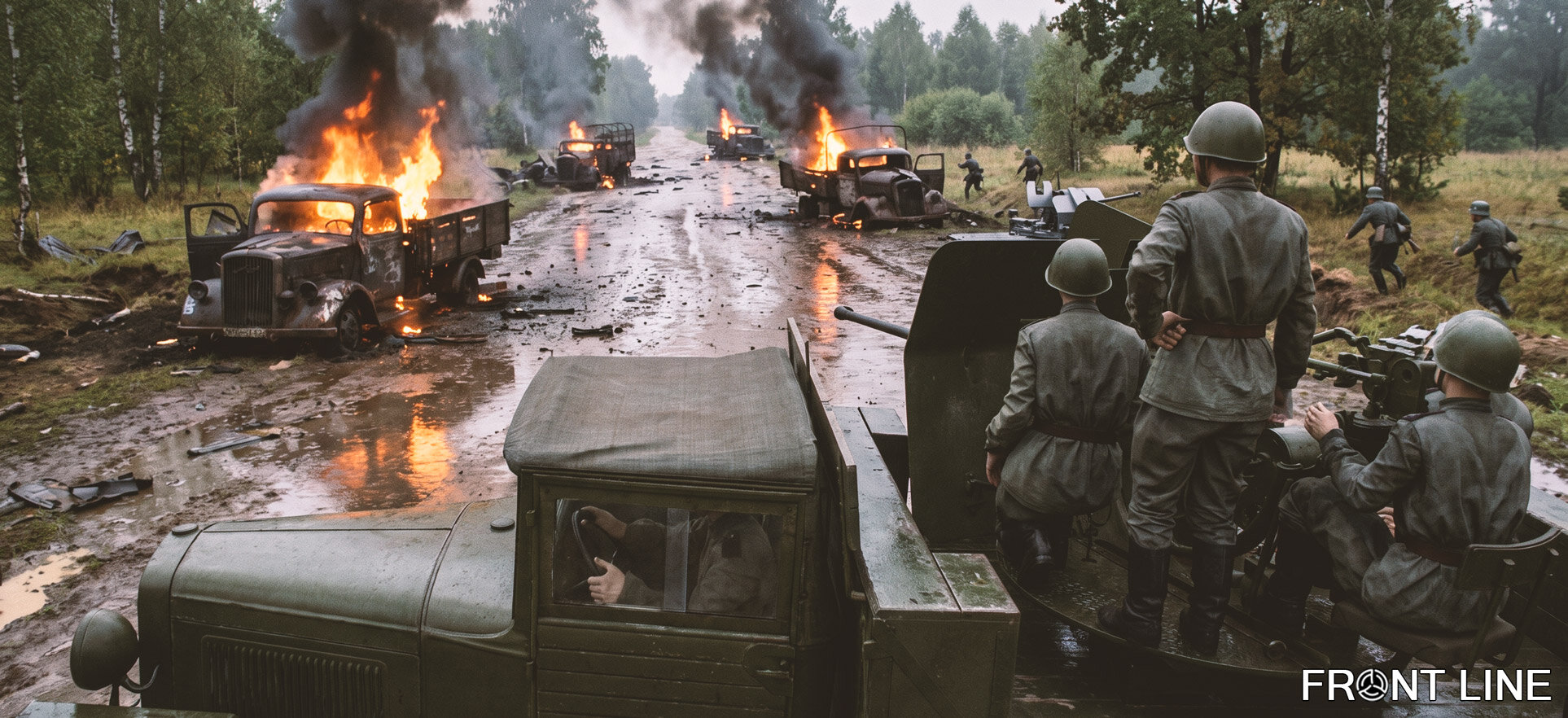 New Features and Changes"Losses" tab in the flight log or service record (pilot or tanker profile). A complete breakdown of your losses: by vehicle type and by specialization, separately for combat, non-combat, friendly fire, and anti-aircraft fire. The "Losses Timeline" and "Sessions Timeline" charts show how things went from map to map. Sections are collapsible, with an "Expand/Collapse All" button. The section is available on a premium account — if you don't have a subscription, the site will tell you directly and offer to go to the products page. Honest statistics. Fixed the counting of losses and final sortie outcomes: if an aircraft crashed while landing at an airfield, the sortie is now correctly recorded as a "crash landing" rather than "landed". The case of taking off without landing is also handled. Aircraft and tank losses are counted according to their proper statuses. Less "noise" in statistics. Sorties shorter than 3 minutes no longer appear in statistics and profiles (except when the player received a penalty — such sorties remain visible). Kill streaks for controllable ground vehicles. Profiles now track kill streaks, group victories, and similar achievements for controllable ground vehicles. Faster loading. Statistics and sortie detail pages have been optimized and now open noticeably faster. Avatar uploads. You can now upload your own avatar through your account. Statistics for controllable ground vehicles. How many controllable vehicles destroyed, group victories, records per life and per session, crew specializations (driver, gunner, and others). More numbers about each sortie and tank run. The profile (the pilot's flight log or the tanker's service record — these sections now have these names) ("Session Results" block), the session journal, and the individual session page now show distance traveled, average and maximum speed, and maximum altitude. The session journal also gained a column for destroyed ground vehicles. Maximum speed and altitude are displayed to premium access holders. New columns in the missions table. The missions list now includes: in-game date, team points, air losses, and vehicle losses for each side. It's easier to follow the course of the war from the missions list. Rating sorting on mobile. In pilot and tanker ratings, mobile users can now choose sorting: by points, streaks, victories, destroyed vehicles, or time in game. Sortie animation. Added a session player. Premium account holders can now play a session animation, making it easier to see who was where at any given moment relative to each other. Money and points. Money earnings reduced by 25% and points by 15%. Ranks. Increased the number of points required to earn lower and middle ranks. Target Bonuses and Team PointsReward for defenders. Repelling an attack on a main target now earns team points (15 points each) — target defense is finally rewarded as it deserves. Fixed attack-repulsion bonus awarding. Previously, the bonus could go to the wrong players (for example, those destroying defenders instead of attackers). Now the reward goes exactly to those who repelled the attack on the main target (on the defense). Bonuses for destroying secondary targets. Fixed an issue where bonuses for destroying secondary targets (factory, bridges, supply...) were not awarded at all. Map, Missions, and RotationAutomatic map rotation. When generating a new mission, map and campaign rotation is now automatically taken into account — the transition to the next map happens correctly and without manual intervention, including proper handling of the last map in the rotation. Fixed map reset. Fixed an error that could cause map cleanup to fail. Clear target names. Front-line targets (bridges, factories, main targets) now have Russian and English names — on the map and in the campaign history, objects are labeled in a human-readable way, mostly by the name of the settlement they belong to. Transport aircraft. Improved the modification selection logic for transport aviation during mission generation. Fixed a bug where an airfield that was fully encircled and on the front line was filled with a full set of aircraft instead of only transport aviation. Stability, Fixes, and ImprovementsMore stable connection to the game server. Fixed failures when connecting/disconnecting the control connection (RCON), reduced the number of redundant requests to the server — fewer freezes and player list desyncs. Fixed rare crashes in log processing — some sorties previously might not be counted due to an internal error. More accurate tracking of tank sessions. Lowered the minimum event duration threshold for vehicles — short episodes of tank/turret control are now recorded correctly. Tank sessions that end outside friendly territory completely lose all points and profit earned during the run. Group creation. Fixed a bug where a group creation request received no response if a group with that name already existed. An information window with the error text is now displayed. More compact profile. Long statistics blocks are collapsible, and the "Specializations" card shows only specializations for your type — pilots no longer see empty tank rows and vice versa. The "Losses" tab on the campaign statistics page has been tidied up: blocks are collapsed into neat sections, and if you don't have permission to view the data, a clear premium access message is shown instead of an empty page. Clear premium messages. The "Losses", "Logistics", and "History Map" buttons on the mission page are now visible to everyone, and instead of a silent error — an explanation that the data is available on a premium account, plus a button leading to the products page. The avatar in the header no longer flickers or disappears while pages load. Map: fixed the offset of resource bars at airfields and icon positioning — icons now sit exactly above their point on the map. Online player list: the ban timer is now shown only for observers. Links with nicknames. The nickname is automatically included in the profile and sortie page URLs — you can immediately see whose link it is, and it's convenient to share. The session page opens faster — redundant server requests during loading have been removed. Tooltips for buttons on the mission page — "Mission Info", "Mission Targets", "Losses", "Logistics", "History Map": no more clicking blindly. Redesign and restyling — the entire site has been brought to a single style: the look of an archival document from the Second World War era. SEO — every page of the site received a unique title, description, and keywords, which should improve the site's ranking in search engines. API and SecurityClosing the API. The API description is no longer publicly available. Updated the platform and internal dependencies of the site — improved security and stability. Request limits. Sending emails for password recovery, account activation resend, and similar actions now have daily limits — most often 10 sends per day.
 -
Due to the server failure. The server will resume operation with the continuation of the current campaign on 08/01/2026
-
Hello. A failure has occurred. I had to roll back to the nearest backup.
-
Hi. Bug
-
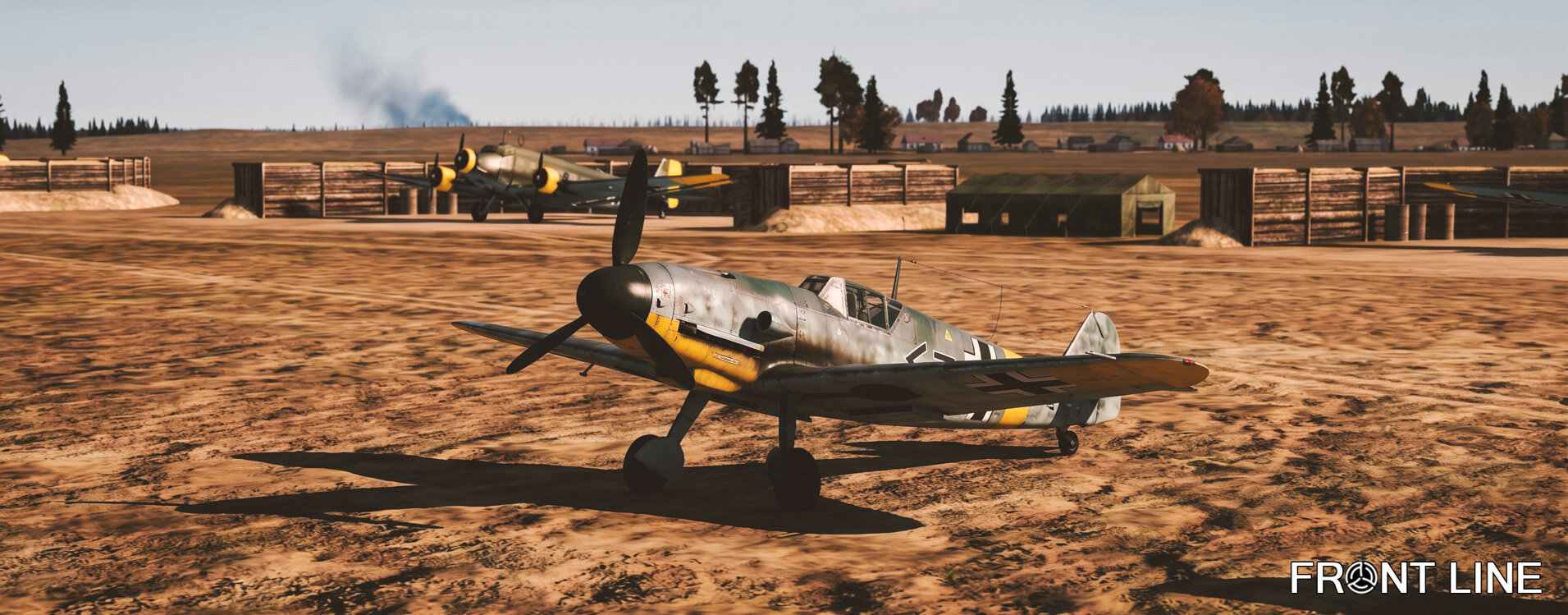 Hello everyone! A small update that removes all combat aircraft from frontline airfields. Only the transport aircraft remain! The air defense is working! Landing at the frontline airfield is allowed. Resources are available for transportation and for destruction. Supplies are not being sent to frontline airfields!
 -
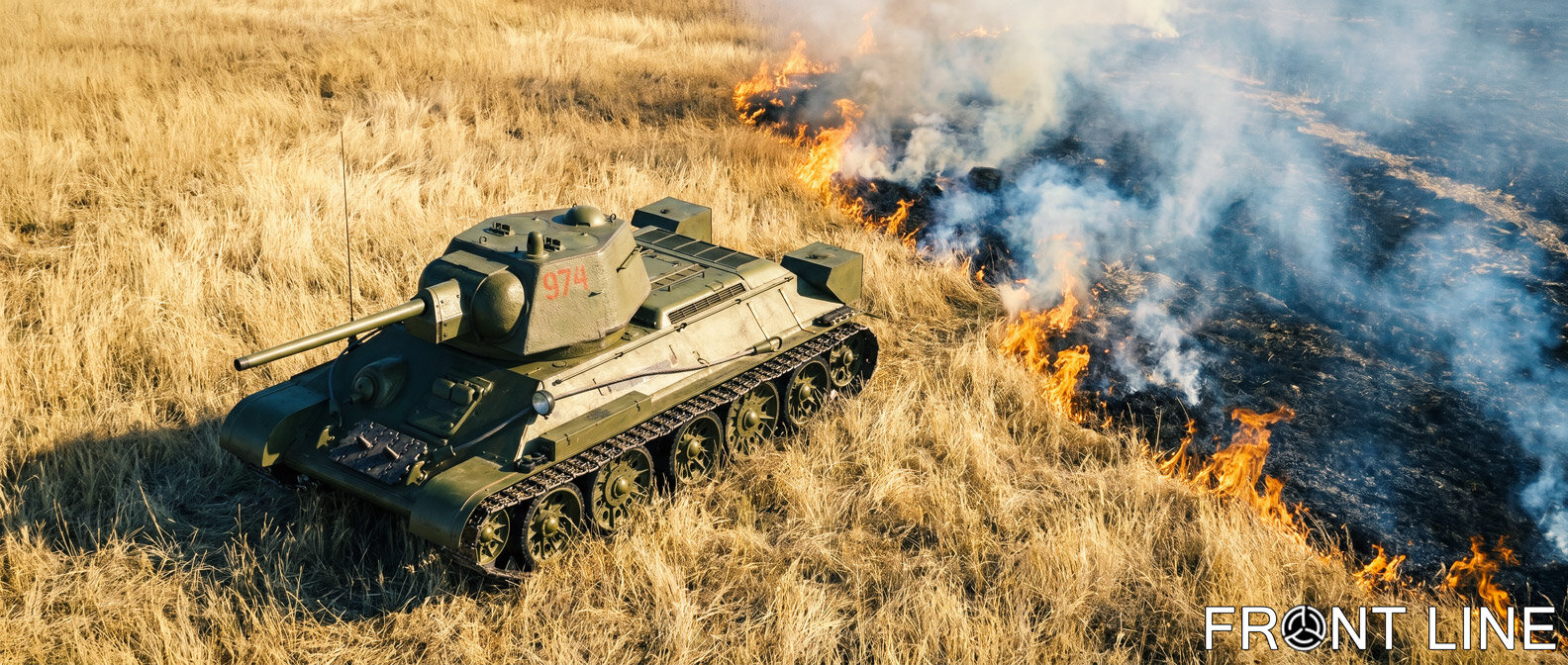 Hello everyone! We've introduced a new player reward system for destroying mission objectives. Objectives are groups of in-game objects that together form a single target, such as an Attack, Defense, Bridge, or Factory objective. As a reminder, destroying these objectives awards Team Points. A complete table of objectives, destruction conditions, and Team Point rewards is available via the corresponding link on our website: Objective Reward SystemTo receive a reward for destroying an objective, you must actively participate in completing it. Each objective now has a fixed reward consisting of Points and Coins. Once the objective is destroyed, the reward is distributed among all participating players according to their individual contribution. ExampleSuppose an objective requires 100 objects to be destroyed. Reward for completing the objective: 1,000 Points 2,000 Coins Player contributions: Player #1 destroyed 10 objects. Player #2 destroyed 60 objects. Player #3 destroyed 30 objects. Rewards are distributed proportionally: Player #1: 100 Points, 200 Coins. Player #2: 600 Points, 1,200 Coins. Player #3: 300 Points, 600 Coins. If the objective is not completed, no bonus rewards are granted. Players only receive the standard Points and Coins, just as before. Important Notes Regarding Primary Objectives (Attack / Defense)Primary objectives follow a slightly different reward logic. Reducing a primary objective's strength to 30% is considered completing that objective and grants a reward. The reward is intentionally modest. However, reducing the Defense strength by only 30% (for example from 100% to 70%), which causes the defense icon to flash, is merely an intermediate result and is not rewarded directly. Instead, rewards are granted for every captured garrison. The Defense side also has the opportunity to repel an attack by reducing the Attack strength. Successfully repelling an attack is rewarded as well. Here's how it works: Once the attacking side deals enough damage for a garrison to become capturable, the system waits for a response from the defending side. If the defenders take no action, the attacking players receive rewards at the end of the mission based on the number of captured garrisons. If the defenders successfully reduce the Attack strength enough to prevent the capture, participating players receive a defensive reward instead. Defensive rewards are issued after the mission ends. If neither the Attack nor the Defense objective receives any damage during the mission, no rewards are granted. Likewise, if the Defense objective has never been damaged, a small reduction in Attack strength does not qualify for rewards. Only reducing the Attack objective to 30% strength grants the small completion bonus. Important! The reward system is currently experimental. For the time being, bonus rewards are not displayed in player statistics. We will expand the statistics system later so these rewards become visible. At the moment, we're testing the feature in the background. Although the rewards are hidden from the interface, all earned Points and Coins are still credited to your account. Foundation for the Achievement SystemWe've also laid the groundwork for a future Achievement System. Some achievement progress is already being tracked behind the scenes while we continue testing and balancing the system. Currently, this progress is not visible anywhere in the interface and will require additional testing before release. However, there's a good chance that achievements accumulated during this testing period will later become available retroactively, including progress earned during the current campaign. Other Improvements and FixesFixed an issue where the combat loadout number displayed on the Game Set page did not match the actual in-game loadout. Updated the entire software stack to a newer framework version, improving both stability and performance. Improved the automatic kick system used when takeoff or vehicle deployment is prohibited. We received reports that the Commander kick function wasn't always working correctly. Hopefully, these improvements fully resolve the issue. Fixed a problem where purchasing a new Premium Account was temporarily blocked after the previous subscription expired. Transport aircraft now spawn with their engines already running. Reduced the amount of Points and Coins awarded for destroying individual objects. Added a new web analytics system for administrators. Added a new website page showing which faction each player has selected, making it easier to choose a side before joining the campaign. The "Forces Balance" block on the homepage is now clickable and opens the faction player list. The size of the "wallet" is limited to 30,000 coins. The rotation of the cards has been changed. The cards "Prokhorovka" and "Velikiye Luki" are excluded from the rotation. The final card is now "Odessa" Every year spent at the front becomes more accessible by rank. Every year, minus the rank. If you're already logged in, the "Join the War" button now opens your account directly on the faction selection page. Unauthenticated users will continue to be redirected to the login page. Game Set RebalanceBelow is the complete list of Game Set changes included in this update. Bf 109 E-7Converted into the free Blue-side fighter, available from Rank 0. Changes Loadout #0 (MG17-AP-2000 MGFF-APHE-120) Rank 2 → 0 Modification #0 (Default) Rank 2 → 0 Modification #3 (Armoured Wind Screen) Rank 2 → 1 Bf 109 E-4Converted into the free Blue-side fighter, available from Rank 3. Changes Loadout #0 (MG17-AP-2000 MGFF-APHE-120) Rank 2 → 3 Modification #0 (Default) Rank 2 → 3 Modification #3 (Armoured Wind Screen) Rank 2 → 3 Modification #4 (Removed Armoured Head Rest) Rank 2 → 4 Modification #5 (Mirror) Rank 2 → 3 Modification #6 (DB601N) Rank 3 → 4 Modification #7 (DB601Aa) Rank 3 → 4 Bf 109 G-2Changes Frontline retirement date: September 1, 1943 → June 1, 1944 (extended by 9 months) Modification #6 (DB605A engine) Price 1260 → 1200 Bf 109 G-4Changes Frontline retirement date: October 1, 1943 → June 1, 1944 (extended by 8 months) Aircraft price: 800 → 2500 Modification #6 (DB605A engine) Price 300 → 700 Bf 109 G-6 LateChanges Price: 3900 → 3000 Bf 109 K-4Changes Frontline introduction: October 19, 1944 → February 1, 1945 (delayed by approximately 3.5 months) Yak-7B Series 36Changes Aircraft price: 3600 → 1800 (reduced by 50%) Loadouts Loadout #0 (UB-APHE...) Rank 7 → 6 Loadout #1 (FAB-50) Rank 8 → 7 Loadout #2 (FAB-100) Rank 9 → 8 Loadout #3 (Empty) Rank 7 → 6 Modifications #0 Default Rank 7 → 6 #1 2 × FAB-50sv Bombs Rank 8 → 7 Renamed (previously "FAB-50 bombs") Added English and Russian descriptions. #2 2 × FAB-100M Bombs Rank 9 → 8 Renamed (previously "FAB-100 bombs") Added English and Russian descriptions. #3 RPK-10 Rank 7 → 6 Renamed (previously "RPK-10 radio compass") Added English and Russian descriptions. #4 Landing Light Rank 7 → 6 Renamed. Added English and Russian descriptions. Yak-1B Series 127Changes Frontline introduction: March 1, 1943 → February 1, 1943 (available one month earlier) Yak-9T Series 1Changes Frontline introduction: August 1, 1943 → June 1, 1943 (available two months earlier) La-5F Series 38Changes Frontline introduction: April 1, 1943 → March 1, 1943 (available one month earlier) La-5FN Series 2Changes Frontline introduction: September 1, 1943 → June 1, 1943 (available three months earlier) LaGG-3 Series 4Converted into the free Red-side fighter, available from Rank 3. Changes Loadout #0 (UB-APHE-200 SHVAK-APHE-150 SHKAS-AP-1300) Rank 2 → 3 Modification #0 (Default) Rank 2 → 3 Modification #1 (RPK-10) Rank 2 → 3 LaGG-3 Series 29Converted into a free Red-side fighter. P-47D-22Changes Aircraft price: 3060 → 2000 All loadout and modification ranks have been reduced by one level. Loadouts #0–5 (Gun-only) Rank 4 → 3 #6–23 (Guns + Bombs) Rank 8 → 7 #24–35 (Guns + 2×1000 lb Bombs) Rank 9 → 8 #36–41 (Guns + Rockets) Rank 6 → 5 #42–59 (Guns + Bombs + Rockets) Rank 8 → 7 #60–71 Rank 9 → 8 #72–78 Rank 4 → 3 Modifications #0 Default Rank 4 → 3 #1–2 Machine Guns Rank 4 → 3 #3 Ammunition Rank 6 → 5 #4 Ground Attack Package Rank 8 → 7 #5 150-Octane Fuel Rank 9 → 8 #6 Bendix Rank 4 → 3 Added English descriptions for modifications #1–6. P-39L-1Changes Modification #7 (V-1710-63 Engine) Rank 7 → 5 Price 100 → 700 Spitfire Mk.IXcChanges Frontline introduction: March 1, 1944 → January 1, 1944 (available two months earlier) Me 262 AChanges Frontline introduction: July 1, 1944 → February 24, 1945 (delayed by approximately eight months) Modification #7 (Bomb Load) Price 4600 → 2000 Ta 152 H-1Changes Frontline introduction: January 1, 1945 → February 1, 1945 (delayed by one month) P-51B-5Removed from the Game Set. Mosquito F.B. Mk.VI Series 2Removed from the Game Set. Ar 234 B-2Removed from the Game Set. Ju 87 D-3Converted into a free Blue-side ground attack aircraft. Ju 88 C-6Converted into a Blue-side ground attack aircraft. MC.202 Series VIIIRemoved from the list of free Blue-side aircraft. I.A.R. 80-ARemoved from the list of free Blue-side aircraft. I.A.R. 80-BConverted into a Blue-side ground attack aircraft. I-153Structural changes only. No gameplay changes. Ground Vehicle Economy RebalanceThe prices of all ground vehicles have been significantly increased. T-34/76 UTZ (1943): 3000 → 6500 T-34/76 STZ(1942): 300 → 2500 Pz.Kpfw.III Ausf.M: 1500 → 4000 Pz.Kpfw.III Ausf.L: 300 → 2500 SU-122 UZTM (1943): 2800 → 7000 StuG III Ausf.G: 1440 → 5000 KV-1s ChTZ(1943): 2400 → 12000 Churchill IV: 2200 → 7000 Pz.Kpfw.IV Ausf.G: 2640 → 6500 SU-152 ChKZ (1943): 5000 → 12000 M4A2: 3360 → 6500 Sd.Kfz.184: 5200 → 13000 Pz.Kpfw.VI Ausf.H1: 5760 → 15000 Pz.Kpfw.V Ausf.D: 4100 → 13000
 -
The server is stopped. The launch date is not yet known. We will inform you about the launch separately.
-
Hi. There is no mistake. In one of the recent updates, we added bonuses. There was a player in that tank, not an NPC. Therefore, a bonus of 2% of the number of points of the destroyed tanker and 5% of the amount of his finances is given.
-
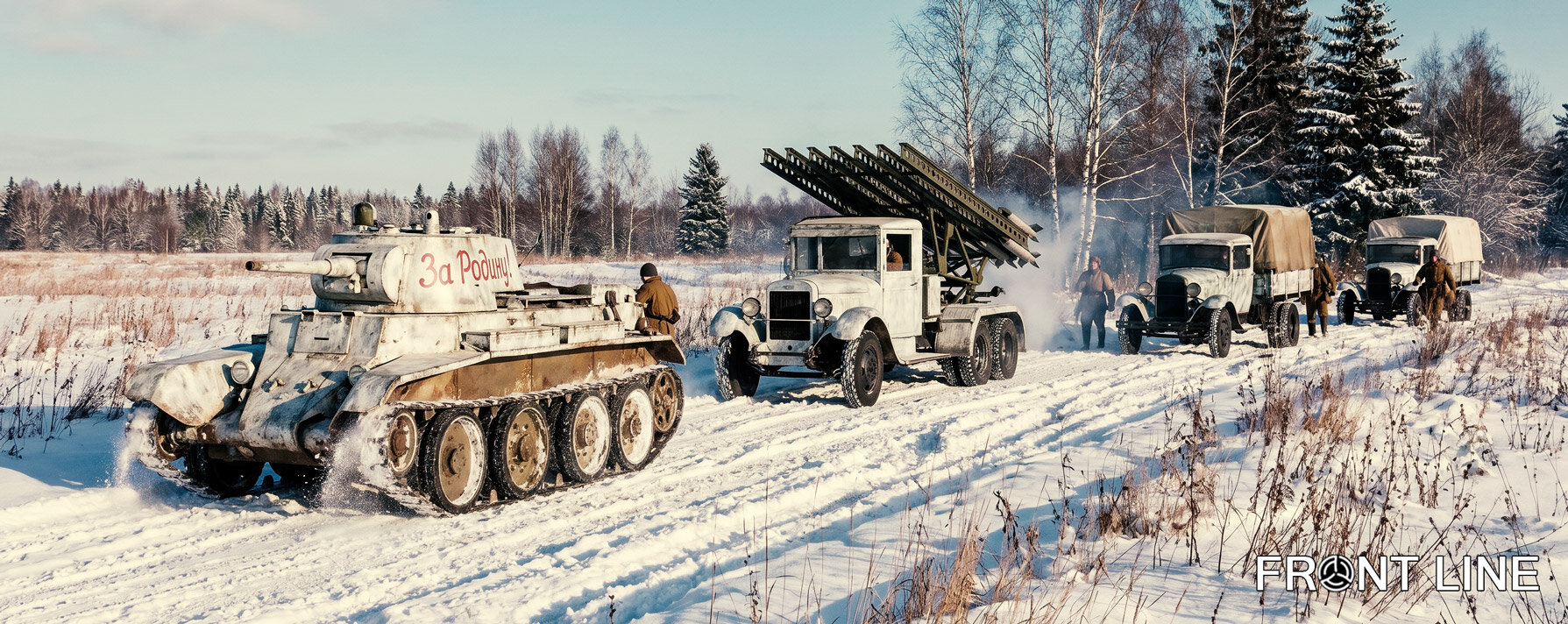 Hello everyone. Fixed an issue where air supplying garrisons via landing replenished only 50% of the required amount; Improved the stability of target identification. Previously, the commander would sometimes fail to identify the target and would not record the damage. The logic for calculating the number of destroyed units in supply columns has been completely reworked. Calculations are now highly accurate. A supply is considered destroyed when 85% of all its objects are ruined. Supply column links have been added to the interactive map. Now it is visually clear from which factory and exactly where the resources are being transported. This becomes available after reconnoitering the supply route. Additionally, the number of units in the supply column is now displayed in the dialog box. A link indicating which garrison an airfield belongs to has been added to the interactive map. The link appears when clicking on an airfield. Now, you can accurately determine ownership to avoid mistakes when trying to supply a garrison. As a reminder, you cannot supply a garrison from the airfield it belongs to. To complete a supply mission for such a garrison, you must fly out from a different airfield. A link has been added to the interactive map showing which factory resources for a bridge are consumed from, and to which factory they will respectively return at the end of the mission. Railroad station links have been reworked. Resource transfer directions are now much easier to distinguish. Fixed a bug where resources from factories were loaded into supply columns and bridges from a random factory instead of the nearest one (yes, don't be surprised, we've been living with this bug all this time))). The bug with the flight completion status has been fixed. Now, upon landing at an airfield, the status is set to "Landed". In this case, the penalty deduction for damage is 1/3. The damage-blocking nets above the tanks have been removed from the bridges.
 -
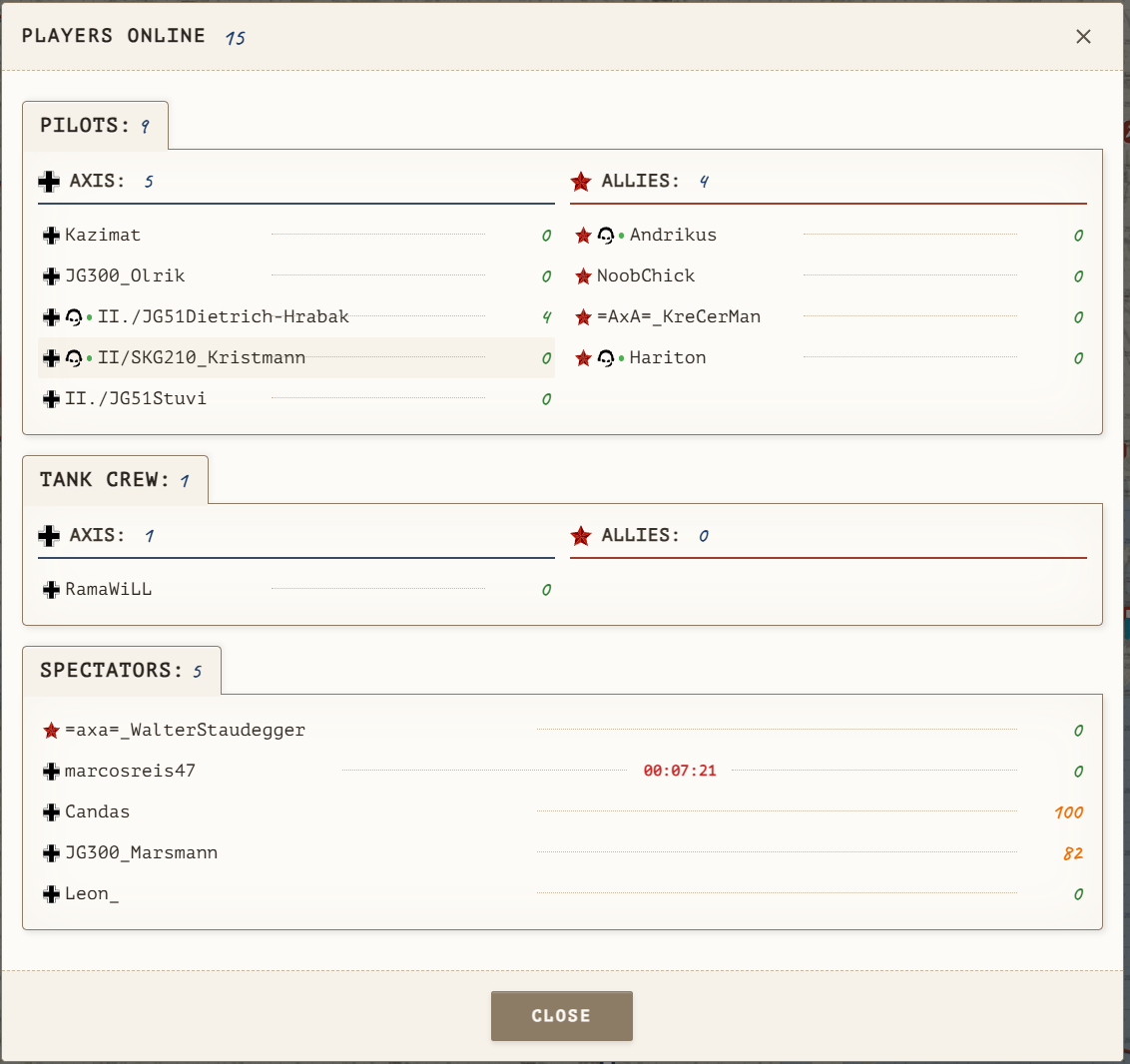
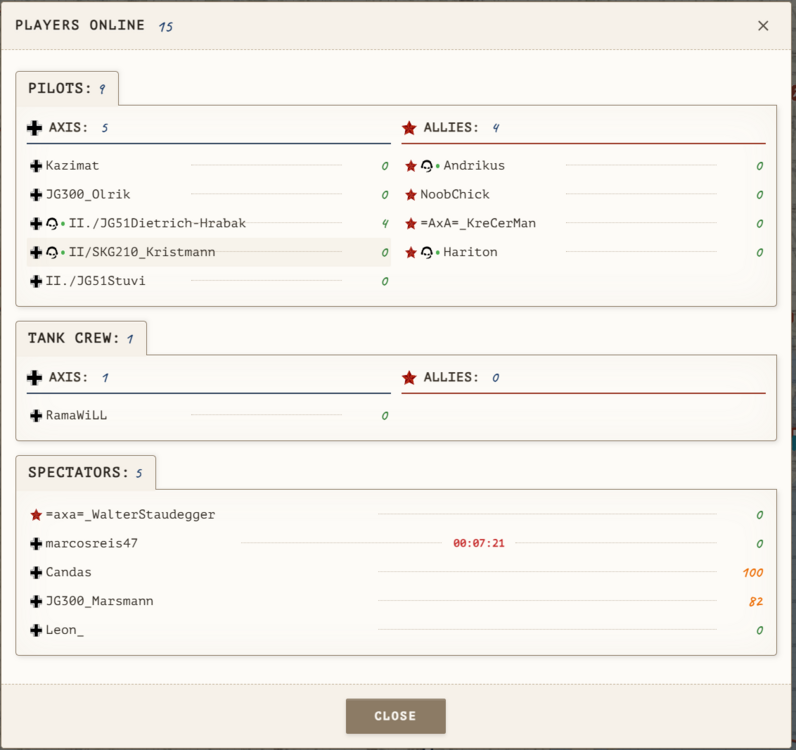
 Increased voice volume for radio communication; Reduced background noise for radio communication; Increased radio communication range to 35 km; Reduced database load. Frequently accessed commander data is now cached and retrieved from memory, preventing database overload with queries; Added icons to the player online window indicating if a user is on the TeamSpeak server, as well as their status (online/offline); Added a countdown timer and penalty reasons to the player online window. If a character is captured or killed, a timer will tick down showing the remaining time until combat actions are permitted; Emergency landing at an airfield should now deduct three times less in-game currency (let's test this together); The "Bridge" objective is now considered destroyed when 65% of all its objects are destroyed; The logger bot now sees everyone on the TeamSpeak server, records multiple events, and tracks user statuses (online, mic on/off, sound on/off). In the future, we will add TeamSpeak server monitoring to the website so you can see who is in which channel; Fixed a bug where negative values were added to a group, reducing the overall income; Fixed other minor bugs; Partial code refactoring; Happy flying!
 -
Due to the problems of the master server, the game server is temporarily stopped. As soon as the master server becomes available and you can log in to the game, we will immediately launch the game server. This is done in order not to waste the generation with the restoration of all resources due to the lack of players.
-
Hello everyone. We are discussing everything related to radio communication. Impressions of how it works. How best to organize with other groups, etc. How to conduct a radio exchange and when to do it? For example, when approaching a target, should you radio in to report your arrival, so that if there are allies they know about you and don't check the altitude again?
-
To use radio communication, you need to be in any channel of our TeamSpeak server. The channels with bots are deliberately encrypted by us, because anyone who enters them can gain access to the logs and thus have unauthorized access to other people's data. If you have linked an account, bot will determine when you are on the game server and will automatically broadcast to you the speech of those who speak on the air and are within range of your radio station.
-
 Radio communication works only on our TeamSpeak 3 server. Address: il2-fl.ru You can use radio communication only on our game server while directly in the game. Radio communication is available only to users who have registered, linked their game account to the system account, and selected a coalition. The entire registration procedure is described in detail in the article: Account Linking.To start using radio communication, you need to link your system account with your TeamSpeak account. To do this, log into your account on our website and go to the section where you select a coalition. If you are registered and have selected a coalition for the campaign, you will see two buttons: Copy linking request; Copy status request; The first button copies the account linking request to your clipboard. The second button copies the request to check your account status in TeamSpeak. To link your account, click the button with the linking request. You will see the word "Copied" appear next to it. After that, go to our TeamSpeak server. At the very bottom, you will see a channel named "Registrator" where a bot with the exact same name will be located. You need to right-click on the bot's name to open the context menu, and then select the option to open a text chat with the bot. Attention! If you can't expand the channel (there is no bird to the left of the channel), right-click on the channel and select Subscribe to Channel At the bottom of the program, a new tab with a private text chat will appear, with a text input field below it. Paste the copied request into this field and press Enter. The Registrator bot will reply with the result of the operation in two languages: Russian and English. The request itself looks something like this: {"event":"link","gamerId":01,"registrationToken":"Token"}Attention! The account linking request is secret! Under no circumstances should you share it with unauthorized people. Do not send it to other chats! After a successful link, you should see the following response in the chat: f you happen to reinstall your operating system (Windows), your TeamSpeak identity will no longer be tied to your previous setup, so the linking procedure must be repeated. You can check your account status using a status request. To do this, copy the status request and send it to the Registrator in the private chat: The Registrator will reply with your linking status: Congratulations! Your TeamSpeak account is now linked to the system account, and you will now hear the radio broadcasts while in the game and in our TeamSpeak simultaneously. Setting up the Transmitter.n order to transmit voice messages over the air, you need to set up a push-to-talk button and configure the transmission. Depending on your client version and its localization, the location of certain menu items, buttons, their names, etc., may differ. I will describe the procedure for the TeamSpeak 3 client. First, find the "Tools" section in the top menu, click on it, and select "Options" from the drop-down menu (or you can simply press the Alt + P key combination). In the options window that opens, find the "Whisper" section. Click the "Whisper Lists" button. In the window that opens, click the "New" button. After clicking, you will be prompted to bind a key that you will use to speak over the air. It looks like this: Assign a hotkey or key combination. After that, you will see a screen similar to this, showing your local whisper list (on the left), your hotkey, and a list of FRONT LINE channels and clients: Expand the FRONT LINE list, then expand the "Channels" list, and find the channel named "AviaDispatcher" at the very bottom: Double-click it or simply drag and drop it into the adjacent left field, then click the "Apply" button: Congratulations! You can now speak over the radio using your assigned hotkey. Everyone who is within the range of your radio station and belongs to your coalition will hear your voice. Attention! Important! If you have set up the transmitter and you do not hear anyone during the check. Right-click on the AviaDispatcher channel and select Subscribe to the channel from the context menu.
 -
 Hello everyone! We have completed work on a major server update. In this update, we have added new interaction features, rewards for scouting supply columns, bonuses for victors in aerial combat, made changes to the economy, and fixed a number of bugs and flaws. But first things first. Radio Communication. The largest and most noticeable new feature is the implementation of radio communication via TeamSpeak 3. Now, by being on the game server and in our TS simultaneously, and after configuring the client, you will be able to use radio comms. This will broadcast to all combatants belonging to your coalition within a certain range who are performing combat missions at the same time as you on our server. How does it work? There are two bots living in our TS. One is for linking your TS account to the system account (so the system can accurately identify you, see your coalition, etc.). By the way, the linking procedure is very simple and takes literally 30 seconds. The second bot acts as a repeater. The player assigns a push-to-talk button and configures "whispering" to the repeater bot. That is, you will be talking to the bot. The repeater bot (after your account is linked) knows your coalition, your coordinates, and the coordinates of other virtual pilots and tankers, and can relay your speech to those within the radio station's range. This way, players can sit comfortably in their own channels without losing connection to other channels in our TS. You can plan and execute joint operations without having to set up multiple different buttons to whisper into different channels, to different players, or, even worse, channel hop. It is enough to set up "whispering" to the repeater bot just once. From now on, there is no need to gather in a huge crowd in one channel, which is usually full of noise and chatter. You can split up into flights or specializations (attack aircraft in one channel, transports in another, fighters in a third), go to different channels, and still maintain contact. With this, we simulate real radio communication used in aviation to this day, albeit with a shorter hearing range, and we hope this will facilitate organization and bring the server to life in terms of communication. Zoning. Radio communication is divided into zones. There are three in total: Briefing. Combat mission execution. When the player spawns on the airfield or in a tank. Outside the server. While in the briefing room, via radio communication, you can talk to all players (only those who have linked their account to the system one) who belong to your coalition and are also in the briefing, but you cannot broadcast messages into the combat zone. Those who have spawned on the airfield or tank range cannot hear the briefing zone, and the briefing cannot hear them. Therefore, coordinate your actions in the briefing room beforehand. In the combat zone, players can request help if they suddenly encounter superior enemy forces, etc. Outside the server, radio communication will not work at all. If you leave our server, no one will hear your messages—neither the briefing room nor the combat zone. In addition, we tried to add realistic noise and interference to the radio comms, which will add realism to air and ground battles and provide immersion for players. The radio connection will cut off when a player leaves their vehicle or is shot down. Such a player is immediately moved to the briefing room, so don't try to shout on the air hoping to give a tip to someone who is still fighting. The range is 31 km—a sphere, not a cylinder. Future Prospects. At the moment, radio communication has been implemented experimentally. If players actively use the comms and like this approach, we will develop it further. What could this development look like? Well, firstly, although it is not very historically accurate, for the sake of game mechanics, we could add "communication nodes" that will increase the radio range. These could be physical objects that aircraft can destroy to deprive the opposing side of the extended radio range. Also, VNOS (Air Observation, Warning, and Communication) posts are planned. Players will be able to transport and set up air observation posts using transport aircraft. In turn, these posts—with some errors, but more accurately than regular game triggers (many of you have seen text hints on other servers like "enemy aircraft spotted in such-and-such grid," even though there might be more than one aircraft, and it's unclear what altitude or course they are on)—will be able to notify everyone within radio range. Our posts will be able to broadcast the approximate altitude, quantity, types (specialization), and approximate direction of one or more aircraft. This will facilitate interceptions and, as a result, spectacular dogfights. Furthermore, for fans of immersion, we could add AI dispatchers to airfields, with whom you can communicate. Requesting a "bearing" (direction to the airfield), getting weather conditions, receiving takeoff clearance or denial... The radio setup is described in the article: Scouting Rewards. Since transport columns, railway, or maritime supply require reconnaissance, we have added a reward for those who perform such tasks. The conditions for receiving the reward are simple: you must be the closest to the center of the trigger when it activates, and after the "fog of war" circle is replaced by an icon, return to any allied airfield. If the scout does not return, the reward will not be credited to their account (but will be noted in the session log with the values). If the scout is in a group, the reward goes to the group's shared income. Each successful reconnaissance is rewarded as follows: For scouting a garrison supply: 100 in-game currency and 35 points. For scouting an airfield supply: 200 in-game currency and 70 points. You can read about supplies and the mechanics of scouting them in the articles: "Airfield Supply: Life for Aviation" and "Garrison Supply: The Key to Success". "Headhunting". A bonus for shooting down aircraft has been added to the standard reward. The size of the reward directly depends on who you shoot down (destroy on the ground in PVP), as it is calculated in relation to the enemy's balance and points. If it is an ace or just a general with a lot of in-game currency and points on their balance, the reward will be higher, but if it is a rookie who is barely making ends meet and is just learning to play in a virtual war environment, the reward will be insignificant (sometimes even zero). Hunting aces is more profitable than shooting blind rookies. The main condition for receiving the bonus is the survival of your game character at the time the bonus is calculated. If the victor is in a group, the bonus is credited to the group's shared account. The bonus amount in points is 2% of the number of points shot down.; The bonus amount in the game currency is 5% of the downed balance.; Reward for Paratroopers. As of this update, the reward for shooting a paratrooper is abolished. Now, the reward for the crew will only be awarded up to the moment they bail out of the vehicle. However, please note that clause 6.3 of the server rules states: "It is forbidden to intentionally leave the game while flying or operating a tank without a technical or gameplay necessity (damage that does not allow continuing the fight). Bailing out of an undamaged vehicle by the crew is considered disrespect to the enemy and is strictly punished." Such actions disrupt the mission balance, interfere with other players, and can lead to account wipes. In the future, we will implement automatic monitoring of "bailing out of undamaged vehicles," and the system itself will punish such players with massive fines. Full list of changes and additions: Added radio communication; Added rewards for reconnaissance/scouting; Added bonuses for shooting down enemy aircraft; On the website, in the "Gameset" section, in the combat loadouts dropdown list, the sequence number of each combat loadout is now displayed in its card, fully corresponding to the game. This should allow for better navigation and faster associative finding of the required loadout on the website; On the website, in the "Account" (profile) section where the campaign coalition is selected, buttons have been added to copy commands for linking a TeamSpeak account; A new event, "Reconnaissance" (Scouting), has been added to the statistics section on the website; Fixed a bug where an incorrect status was set upon connection loss, resulting in deductions (the "disconnect" status was not always assigned when needed); Rewards for shooting at characters (bots) are credited only up to the moment they bail out of the vehicle. If bots have abandoned the vehicle, they can still be killed, but no rewards are awarded for such actions!; Fixed a bug where a +streak was awarded even when the character died; Fixed a bug where a reward was issued for shooting down an allied aircraft; Fixed a bug with delayed victories (when the victor might have already left the server, and the kill notification only arrives when the virtual pilot fails to reach their airfield), where if the player was in a group, the reward was not credited to the group. It should now be credited properly; Minor program code improvements; Increased the in-game currency reward for destroying ground targets by 20%; Increased the in-game currency reward for shooting down enemy aircraft by 25%; The amount of experience required to obtain the 12th and 13th ranks has been significantly increased; The non-combat update of airfield statuses has been increased to 10 minutes (previously, the current status of airfields was shown to the enemy with a five-minute delay); The time to exit to the briefing room has been increased to 15 seconds.
 -
We believe that this is an accident. It's likely that the Internet went down or something else. At the moment when he came out, your plane was quite far away. About 6-7 kilometers. An aerial gunner doesn't scream at such a distance. The location is yours, I marked it on the map at the time of its release. He's the blue one. The red one is you.
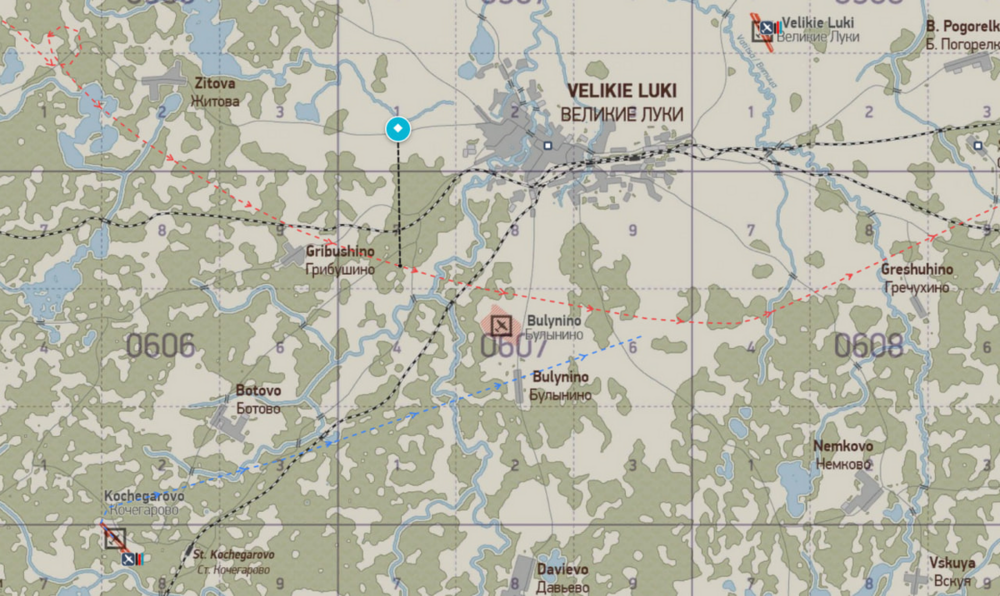
-
And the second time? Copy the link from the address bar. So that we don't look for your departure and the enemy. https://il2-fl.ru/ru/stats/sortie/191735/0?gamerId=177&tab=flight-log