
Jump to content
View in the app

A better way to browse. Learn more.

FRONT LINE

A full-screen app on your home screen with push notifications, badges and more.

To install this app on iOS and iPadOS
  1. Tap the Share icon in Safari
  2. Scroll the menu and tap Add to Home Screen.
  3. Tap Add in the top-right corner.
To install this app on Android
  1. Tap the 3-dot menu (⋮) in the top-right corner of the browser.
  2. Tap Add to Home screen or Install app.
  3. Confirm by tapping Install.

-DED-Zlodey

Developer
  • Joined

  • Last visited

Everything posted by -DED-Zlodey

  1. In the world of the flight simulator "IL-2 Sturmovik," on the FRONT LINE server, every element of the map, every target, has its own tactical and strategic significance. Among the many targets, bridges hold a special place—seemingly simple engineering structures that are, in fact, vital arteries of the war machine. On the FRONT LINE server, these objects become true strategic nodes, and the outcome of entire operations can depend on their control. The Logistical Foundation of Military Operations.Bridges and river crossings are critically important logistical assets, ensuring the continuous delivery of military cargo and resources from the second line of defense to front-line positions. In real war, as in the game simulation, these structures serve as the connecting links between production centers in the rear and combat units on the front. Each bridge in the game is responsible for supplying a specific frontline settlement where garrisons and combat units are located. It facilitates an effective attack or defense depending on the current situation on the server. Force Transfers: The Mechanic of Redeploying Reserves to the front line.Before explaining force transfers (the redeployment of forces and assets), we need to cover the topic of settlement connections. A connection is a line on the interactive map, represented by a blue or red segment drawn between two settlements (garrisons). One connection cannot cross another. A connection is colored according to the coalition that owns the garrison it leads into. If you select a garrison, you will see outgoing segments leading to the garrisons they connect to. If a connection originates from a red garrison but enters a blue one, it will be colored blue. If a connection enters an allied garrison, it will take on the color of the allied coalition. Force transfers, or the redeployment of forces and assets, occur exclusively along these connections. A force transfer can only happen once and only along a single connection—that is, only one step. Important! It is impossible to transfer forces through a garrison from the third or fourth line of defense to the first! Force transfers, or the redeployment of fresh forces to the front line, is the movement of strength from one garrison to another along their connections. The necessary conditions for a force transfer are as follows: The destination settlement must be located on the front line, have at least one connection to an allied settlement, and at least one connection to an enemy garrison. The origin settlement must have all its connections only with its own coalition and must have a direct connection to the destination garrison. The source garrison must not be left with less than 60% of its maximum strength after the operation. The maximum amount of force that can be transferred at one time is no more than 10% of the maximum force of the origin garrison. Force transfers are carried out in a single step only — that is, only along one connection. After each mission, during the preparation for the next one, the generator gets five "moves". It searches for the garrisons on the front line most in need of reinforcement and, if necessary, transfers forces according to the conditions. If the conditions are not met, no transfer occurs. This operation counts as one move. If the conditions are not met, the move is still considered used and is expended. Target Placement and Detection.The bridge generation system in the game does not simulate real principles of military logistics; crossings appear in random locations on the map, creating a dynamic game environment where each mission offers new tactical challenges. Bridges are displayed on the interactive map with bridge icons. However, there is an important feature: if a team controls too little territory, the system may not place a bridge at all. This reflects a real military situation where retreating forces lose control over strategically important objects. A bridge highlighted by a red rectangle on the map The Tactical Value of Destroying Bridges.Destroying a bridge is not just about demolishing a structure but a targeted disruption of the enemy's supply system. Each destroyed bridge cuts off supplies to one of the five frontline settlements. Within a single mission, players can destroy up to three bridges, leaving three of the five frontline garrisons without supply. Supply is carried out through the "force transfer" subsystem described above. Destroying a bridge means one less force transfer. The consequences of such an action become noticeable rather quickly. The garrisons of the weakened settlements begin to experience shortages of ammunition and other critical resources. Their combat effectiveness decreases, and their reserve attrition rate accelerates. This creates favorable conditions for offensive operations by the opposing side. Attention! Since bridges facilitate the movement of resources directly to the front line and thereby help restore enemy forces on the front, it is advisable to first destroy the bridges closest to your main (strategic, chosen at the start of a new Theater of Operations) direction of attack. Bridges that are outside this main axis can be ignored. It is important to understand that completely cutting off supplies is impossible — the server mechanics ensure that two of the five settlements will continue to receive necessary resources regardless. This maintains game balance and prevents a complete collapse of the defense. A destroyed bridge Conditions for Destroying Crossings.Attacking a bridge requires careful planning and skillful execution. Each crossing is protected by anti-aircraft defenses (AA), although its effectiveness is limited by a relatively small engagement radius and the caliber of its artillery. This means that skilled pilots can find approaches to the target while avoiding damage from the AA. To completely destroy the target, seventy percent of all objects within the bridge zone must be destroyed. Besides the bridge itself, this includes adjacent structures: access areas, warehouses, control points, and other auxiliary buildings. This approach makes the task more realistic and challenging, requiring players to think strategically when selecting targets for attack. The bridges themselves are not mandatory targets for destruction. After a bridge is successfully destroyed, its icon disappears from both the in-game map and the interactive interface, visually confirming the completion of the combat task. Economic Aspects of Combat Operations.The bridge system is closely integrated with the game's economic model. When each crossing is generated, military factories allocate a certain amount of resources for its operation. These resources are essentially "frozen" for the duration of the bridge's existence and are temporarily removed from the factory's general reserve. However, there is an interesting feature: at the end of each mission, an undestroyed bridge returns all its unused resources to the factory from which they originally came. In the case of destruction, however, each building is destroyed along with its allocated resources, which are not returned to the factory from which they were taken at the beginning of the mission. Strategic Planning of Operations.Bridges are much more than just static elements on the game map. They are dynamic supply nodes, and the stability of the entire defense system depends on their effective functioning. Understanding this role allows players to develop more complex and effective strategies. Skillful planning of attacks on bridges can radically change the course of a battle. Destroying strategically important crossings undermines the enemy's logistics system, depletes their material reserves, and creates windows of opportunity for decisive offensive actions. Settlements weakened by a lack of supply become more vulnerable to capture. Utilizing the Bridge System. Mastery of the bridge system as a game mechanic lies in understanding its complex nature. These are not just targets for bombing, but elements of a complex system, the manipulation of which requires strategic thinking and tactical flexibility. Players who master these principles gain a significant advantage in multiplayer battles and can significantly influence the outcome of major operations. Learn more about factories:
  2. Ask questions. Write suggestions. Make requests to create something or other that you would like to have (for example: a blog where you can upload an entry with the name, description of the stream and a link to it, or some kind of album, or some kind of file storage section...).
  3. Write about errors in statistics here.
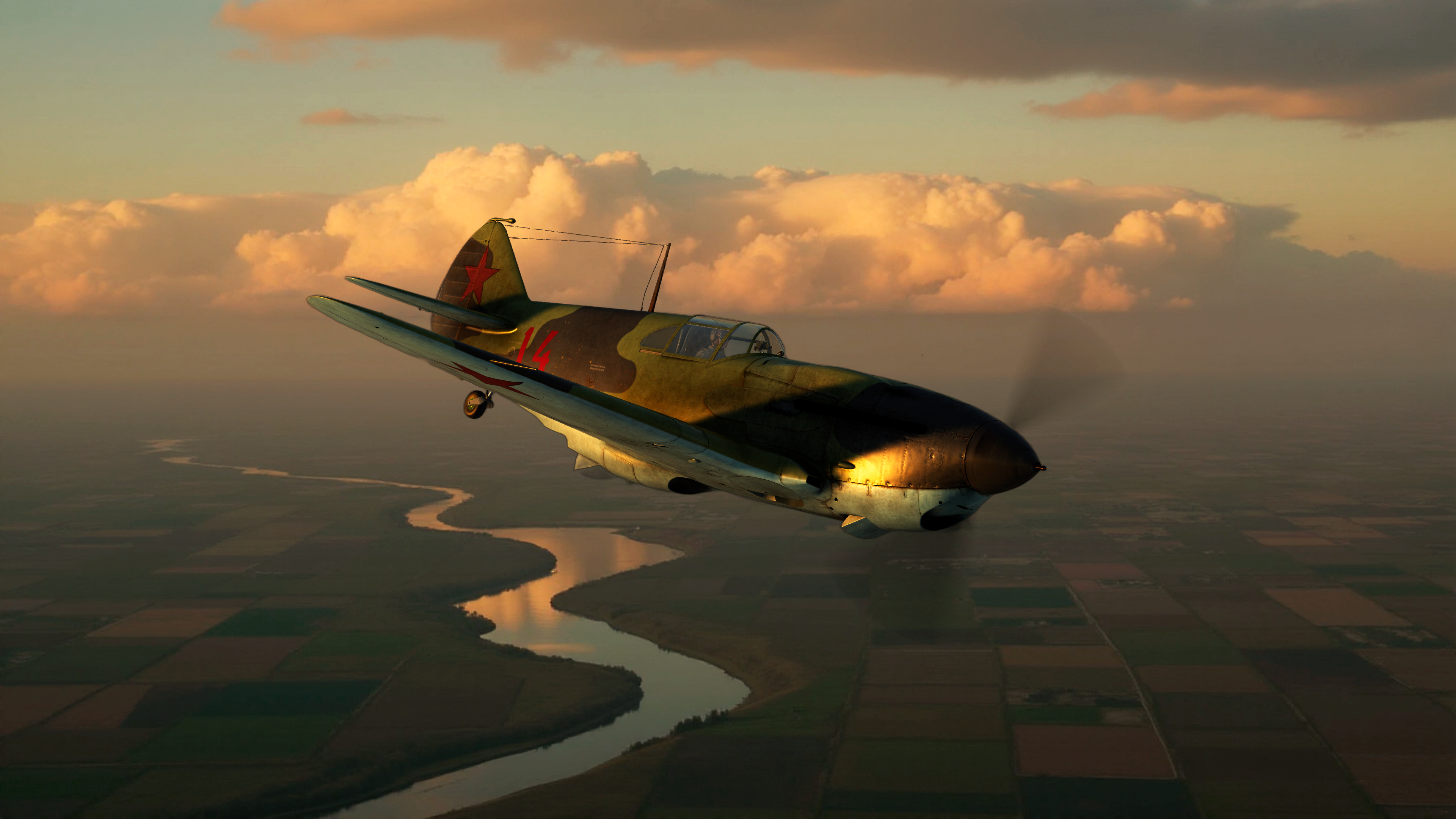
  4. Pilots and tank crews! We are proud to present a massive update that will change your approach to combat. Introducing new strategic and tactical opportunities that will make every battle deeper and more intense! The team has been working hard not just to fix bugs, but to significantly expand the gameplay by adding mechanics that will make you think like true commanders. Let's take a look at the key new features! New Tactical Depth: Vehicles as Part of the Main Objective's GarrisonThe key change that fundamentally alters battle tactics is a new mechanic where player-controlled ground forces are now counted as part of the objective's garrison from which they spawn. Now, when you spawn in a tank, or anti-aircraft artilery, the friendly main objective tied to that spawn point temporarily weakens itself, "investing" a portion of its strength into your combat vehicle. The amount of strength deducted directly depends on the vehicle's mass: the heavier the tank, the more vulnerable the objective from which it was deployed becomes. To return this strength to the garrison, you must successfully complete the battle and leave the session while in friendly territory. Your vehicle must "return home." This innovation creates new tactical depth: a mass deployment of heavy vehicles will make a friendly objective vulnerable to a counter-attack, and the loss of each vehicle in battle will become an irreplaceable loss not only of the vehicle itself but also of the main objective's strength. Protect your tanks! Keep an eye on the indicators on the interactive map—it now displays what portion of the objective's integrity has been allocated to active vehicles. We have also revised the mechanic for weakening the garrisons of neighboring settlements during a capture. Now, a captured objective will drain 40% of the garrison strength from its neighbors, up from the previous 30%, making each breakthrough more significant and dynamic. Logistics have also been taken to the next level:Supply trains for large settlements and ports for coastal cities now deliver significantly more resources than regular supply columns. These objectives require reconnaissance. The Stalingrad map now features unique supply routes: Volga river crossings for the Red Army and city depots for the Wehrmacht. Additionally, supply columns now return unused resources to the factory, making resource consumption more precise. Lagg-3 4-series Expansion of the Theater of War: New Map and VehiclesWe are proud to introduce a new game map — Velikiye Luki! Prepare for fierce battles in a new region that will open up fresh tactical opportunities for both air and ground forces. The aircraft roster has been expanded with two legendary machines: the maneuverable I-153 "Chaika" biplane and the LaGG-3 (Series 4) fighter. The templates for attacking and defensive positions have also been updated, which will add more variety to battles. At the same time, we have adjusted the balance: the effectiveness of aircraft forward-firing armament against tanks has been reduced, making ground attack runs more realistic. I-153 Chaika Important FixesWe have paid great attention to fixing bugs and improving the player experience: The interactive map is now more accurate: The integrity value of objectives is now displayed without rounding, which will eliminate confusion when assessing damage. Additionally, all objects have been "grounded" and now show their actual altitude. Critical bugs have been fixed: Issues with the simultaneous calculation of supply and destruction of a settlement have been resolved, as well as incorrect masses for some vehicles (for example, the Tiger now weighs its proper 54 tons). Front Line Gap Protection: A mechanism has been implemented that automatically corrects errors in the map graph, preventing "holes" from appearing in the front line Community Infrastructure UpdatesOur website has also been revamped! New sections have been added: "News," "Articles," and "Server Information," where we will share important updates. For easier content management, a visual editor has been added, and for you, a full-text search feature. The administrative side has also been improved: rule-breakers can now be banned directly from the website, and your account security has been enhanced. This update is a major step towards creating an even deeper, more stable, and more engaging project. We thank you for your support, feedback, and participation in the life of our server See you in the skies and on the ground! To battle! The full list of changes### Change log - Improved the security of user accounts. - All API responses are standardized - Fixed an issue where the interactive map displayed a whole, rounded value of the integrity of the main target (attack/defense) and it seemed that the target was damaged enough to prevent a breakthrough or a defensive breakthrough. Now, the value will be indicated without a fractional part and will not mislead the players. - Fixed an error when the simultaneous destruction of the buildings of us. point and the supply of the same us. point was calculated with an error (Supply did not work) - Fixed date and time recording of fines. - Fixed the maximum mass of an entity from a plainset/tankset (for example, the Tiger tank had the maximum possible mass, but it was 32,000 kg instead of 54,000 kg) - The mass of tanks and other pieces of equipment has been changed, for which it was not correct. - The percentage of debiting garrison forces from neighboring US has been changed. points with the newly captured ones. Previously, 30% of the actual garrison force was written off, now 40% will be written off.% - Added a mechanism for automatic correction of graph errors to prevent the appearance of front line breaks - Added the ability to change the settings of the number of supply columns on the fly - Added the ability to change resource recovery settings in factories on the fly, as well as restore the number of buildings. - The sections `News` `Articles` `Server information` have been added to the site with articles. - Added a visual editor for website articles. - Added an admin panel with the necessary functionality. Now, you can send money directly from the site to the ban. - Full-text search is organized by sections with articles - Added the return of unspent resources by supply columns to the original plant - Added the mechanic of writing off power from the main targets when ground vehicles under player control appear on them. The amount of decommissioned force depends on the mass of the equipment (the minimum decommissioned force cannot be less than one). The amount of decommissioned force is calculated as follows: the mass of the equipment is kg / 10000, the result is rounded up. - Added the return of the force that was previously written off from the main target by ground vehicles under player control back to this target. A necessary condition for return is exit to the Union territory. - The main target dialog box on the interactive map displays the amount of force taken by ground vehicles under player control. The displayed percentage of target integrity includes decommissioned ground forces. At the end of the mission, the decommissioned force participates in determining the capture of the territory! - New I-153 and LaGG-3 ser.4 aircraft have been added to plainset - The height of targets on the interactive map has been updated: All targets, zones (eras) and settlements have been "grounded" — now the interactive map displays the current height of the targets, which improves the accuracy of attack planning and navigation. - Improvements in factories: The floors of factory facilities have been updated, and fortifications have been added to anti-aircraft artillery positions, which enhances their protection from air raids. - Supply trains for large NP: For large settlements with railway branches, supply trains have been added, including platforms with weapons. They deliver twice as many resources as standard columns. They are indicated by a large circle that requires exploration — similar to the mechanics of supply columns. - Ports in coastal towns of the Black Sea: New targets have been introduced — ports that supply coastal garrisons with significantly more resources than conventional convoys and convoys. They are also indicated by a large circle with a reconnaissance requirement, similar to other supply facilities. - Stalingrad: new supply options: Volga crossings have been added for the red side, and "urban warehouses" for the blue side as a new type of supply. They require reconnaissance and are marked in large circles, similar to other important rear facilities. - Erias have been added to all localities: All localities now have their own erias for future amphibious operations. - The Velikiye Luki map has been added: The new game map expands combat capabilities and opens up new scenarios for air and ground battles. - Updated patterns of attacking positions: New patterns for the deployment of attacking forces have been introduced. In addition, the effectiveness of course weapons against tanks is reduced, which makes attacks more realistic and balanced. - New defense patterns: New options for building defensive positions have been added, which increases the tactical diversity in battles.
  5. Registration on the game portal is the first step to fully immerse yourself in the world of aerial battles on the IL-2 Sturmovik server. This process is simple, but it requires care and careful execution of several simple steps. Let's take a step-by-step look at the entire registration procedure and the subsequent connection of the gaming account. Attention! If you have registered with us on the portal, then you do not need to do this all the time when starting a new war! Step 1: Go to the websiteTo get started, open the official website of the project: il2-fl.ru . Please note that it is best to use modern browsers such as Chrome, Firefox or Edge to avoid technical problems. In the upper–right corner of the website page, you will see the "Login" icon - click on it. Step 2: Start RegistrationAfter clicking on the "Login" icon, an authorization window will open. Find and click the "Register" button here. Step 3: Filling out the formAfter filling out the form, check the entered data and click the "Register" button. You will see a registration form that you need to fill out. Here you need to specify a valid email address, come up with a strong password, and possibly fill in other necessary fields. Be sure to carefully read the conditions and hints next to each field to avoid mistakes and repetitions. After clicking on the "Register" button, you will receive an alert about the successful registration. Attention! UserName when registering, it is not necessary to specify exactly what your nickname is in the game. No one will ever see this UserName except the admins! It is not displayed anywhere on our website! Specify any UserName, it will not affect your real nickname in any way! Step 4: Confirm RegistrationAfter submitting the form, the website will show you a message about successful registration. However, this is not the end of the process.: You will need to confirm your email address. Open the email address specified during registration and find the email from the project. IL2-FL.ru (Soft.SHOW.Services) and click on the confirmation link inside the email. Why is this necessary? ✅This ensures that you can restore access to your account if you suddenly forget your password. ✅We will make sure that you really own the specified email address. ✅Verified accounts help us keep the database clean and speed up the site by making search more efficient. If the email has not arrived within a few minutes, check the Spam or Promotions folder. Step 5: Account ActivationAfter clicking on the link from the email, you will see a message on the website stating that your mail has been confirmed and your account has been successfully activated. Your account is now ready to log in. Step 6: Log in to the websiteGo back to the main page of the website, click on the "Login" icon again, enter the email address and password specified during registration, then click "Log in". Step 7: Linking the game accountNow you need to link the game account to the account on the website. To do this, find and click the "Change sides" button. Here, carefully read the hints and instructions that appear under each line. Step 8: Getting the verification codeLaunch the IL-2 Attack Aircraft game, log in to the server and select the aircraft to appear at the airfield. Open the game chat (usually with the Enter key or a special chat key) and carefully read the message from the server. A special verification code will be indicated there, which must be copied and entered into the appropriate field on the website. Enter your game nickname and verification code in the appropriate fields of the form and click submit. Step 9: Completing the bundle of accountsAfter entering the code and confirming it on the website, your gaming account will be successfully linked to the profile on the portal. Now you can choose the side you will play for in the current campaign. By choosing a star, you become a fighter of the red team, and a cross becomes a fighter of the blue team. Step 10: Start the gameAfter choosing a side, log back into the game, appear at the airfield or tankodrome, and the server will automatically notify you that you are ready to start a virtual battle. Congratulations! Now you are a full-fledged participant in the virtual war on the IL-2 Stormtrooper server! Have a nice game and successful battles in the sky and on the ground! New war / campaign After the end of the current campaign, the selected side is automatically reset, and all players must re-log in to the site and select a side again in order to continue participating in the next stage of the game.

Configure browser push notifications

Chrome (Android)
  1. Tap the lock icon next to the address bar.
  2. Tap Permissions → Notifications.
  3. Adjust your preference.
Chrome (Desktop)
  1. Click the padlock icon in the address bar.
  2. Select Site settings.
  3. Find Notifications and adjust your preference.