Otto_bann
Members
-
Joined
-
Last visited
Everything posted by Otto_bann
-
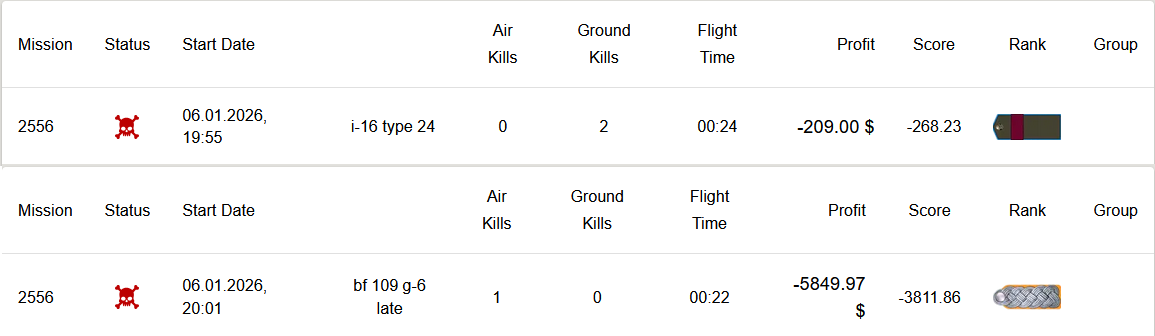
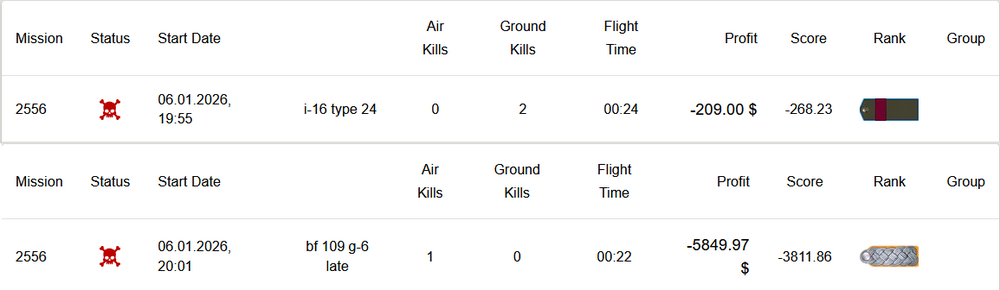
During this last flight, I shot down a plane before to be downedt, just like my previous opponent (the one who scored 260 points). This time, I lost 3811 points, while my opponent (who only got two ground targets) lost only 268.s 😵💫 This 3 flights with so much differences in scores show a system not fair and very demotivating IMO.
-
Okay, but my opponent and I were at the same level (Oberst - Colonel)... still strange to me.
-
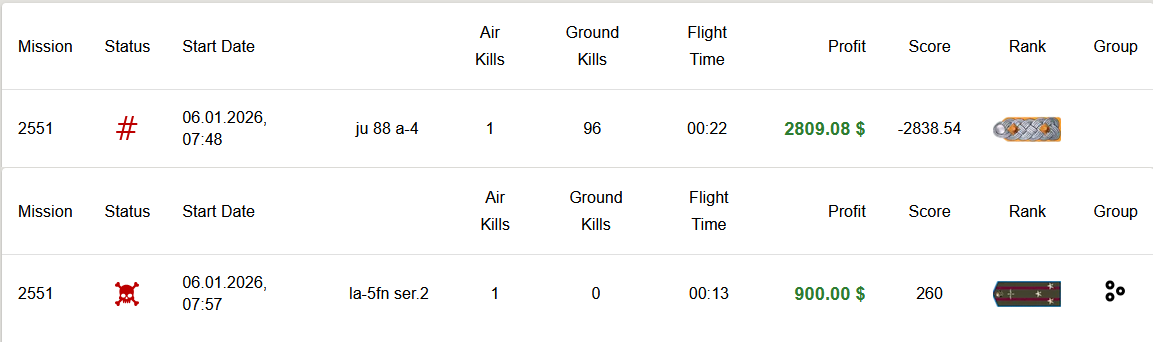
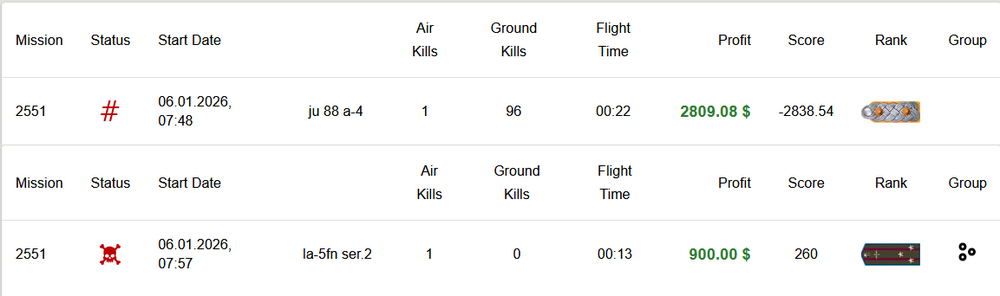
Hi Gents ! I'm having trouble with the scoring system. Could you explain it to me using this example from my last flight today? With my Ju 88, I destroyed 96 ground targets on this flight and shot down my pursuer. Severely damaged, I had to eject to save my life. The scoring system deducted -2838 points (that's expensive!). My opponent lost his life and his aircraft, he didn't destroy any ground targets, but he GAINED 260 points. The gain-loss ratio (~3000 points of difference) between 96 ground targets + 1 air kill vs the loss of life, the aircraft without any ground target seems... odd to me. Thanks in advance for your explanations.
-
Hello, Are there any rules on this server? I've seen players shooting at parachutes several times. It's tarnishing FL's reputation a bit IMO.
-
Thanks for your quick response 👍
-
Hello, Congratulations and thank you for your work and the results achieved. I'm convinced your server is the most polished on this simulator. I also think it hasn't yet reached the success it deserves, but it certainly will. The complexity of the registration process is probably the reason, as many pilots I know (and to whom I've recommended your server :) ) never managed to register and gave up with regret. Question: Do you plan to add airstarts for high-altitude bombers? The maps are often vast, and heavy bombers are so slow, which forces you to take off early in the mission if you want to make more of one sortie to distant targets. This wasted time unfortunately leads to neglecting high-altitude bombing runs. Thanks again for your work.