
-DED-Zlodey
Developer
-
Joined
-
Last visited
Everything posted by -DED-Zlodey
-
 Hello. The stage of creating an account on the website. The stage of linking the account on the site with the gaming account (the site must make sure that the gaming account belongs to you, because later on through the site you will choose a coalition for the entire campaign). Read the detailed instructions at the link below. Other articles on how and what works are in the "Server Information" section in the forum header. If you still have any questions, write to the game nickname, we will try to figure out why you are not allowed to take off.
 -
The server has been updated. Updated players log on to the server without any problems. In a previous mission, there was an attack on our server. Because of this, the protection "cut" the connections. Everything is fine now, the attack has been repulsed.
-
Did it work?
-
Be sure to sit down. Containers are not tracked by logs. The radius from the point on the interactive map is approximately 2000 meters.
-
Hello. Yes. There was a mistake. Fixed it.
-
HotFix to update: Fixed the issue of indexing some nicknames for full-text search. Fixed a bug where the supply of the garrison did not take into account the forces that were in battle. Fixed a bug where tankers were assigned the "Air Shooter" specialization and the tankman's profile was not created. Fixed a bug where when shooting down was delayed, the downer did not record a victory (group victory). The supply of the garrison from the airfield, which belongs to the supplied garrison, again generates income (yes, yesterday for some time such supplies did not generate income).
-
The next campaign is scheduled to start today at 19:00 or 20:00 Moscow time!
-
 Hello everyone. This update fixes a number of bugs and issues. One of the most significant problems was the inability to play as part of a crew. The logic for granting takeoff or drive-out permission depends on the player's chosen vehicle and its specific loadouts and modifications. However, crew members previously had no vehicle assigned to them, so the "Commander" system would forcibly remove such players from the server. This was a "crutch" to prevent the rest of the game from breaking. Nevertheless, crew members were still breaking the game in a way, because along with forcibly removing such a player, the "Commander" also erased the parent object (the plane or tank) from memory. Thus, a player piloting a plane who had received takeoff permission could earn nothing during the session, as no record of them existed. In short, this update resolves this issue, and the "Commander" now correctly handles crew members. Moreover, sessions played as a crew member are now recorded in the statistics. However, there are a number of conditions. A crew member does not earn anything directly—neither points nor coins. All income goes directly to the session leader (the parent object). A crew member will lose a certain amount of coins per session (the same amortization principle applies). The longer the session, the higher the expenses. You can join as a gunner anywhere and at any time without a penalty. However, you must exit either in your territory (for ground vehicles) or at an airfield. Otherwise, the same penalties as in a normal scenario will be applied. The gunner's exit does not affect the session leader. How to earn income and cover session costs as a crew member? This can only be done through the group mechanic. Ask the vehicle owner to invite you to their group. Don't forget to block gunner slots if you don't want anyone riding with you. All changes and additions:Fixed an issue where the "Lobby" section in groups would spontaneously disappear. Fixed a bug that caused balance to be credited instead of debited. Fixed the issue where a crew member spawning would lead to their forced removal, and along with them, the session results of the parent object and its player. A crew member's session is now displayed in the statistics. All income goes to the owner of the parent object. The crew member earns nothing, only takes risks! In the session statistics, if a session was played in a multi-crew, the crew members are shown with links to their sessions. Fixed a bug where the group composition was not saved in the session statistics if the session ended while in a group. Improved player search by nickname. It is no longer necessary to enter the exact nickname when searching in the rankings. Articles have been removed from the main site. The game-set update has been made exclusively manual. The game-set does not update at the start (initialization) of a new campaign. Reduced the bonus for the "Bridges/Crossings" objective. Fixed a bug where points were deducted upon a prohibited takeoff. When changing coalition on the main site, if the user has logged into the forum at least once with their main site credentials, the user will be assigned the corresponding group on the forum with access to the coalition's headquarters forum. Fixed the display of statistics for completed campaigns. Added groups for players to team up and share income. At the start of a new campaign, all accumulated points and balances in groups are automatically reset. Fixed errors in objective templates discovered by players during the last campaign. The Bf-110 G-2 will arrive at the front in July 1942. The rank requirements for accessing the Fw-190 A3 and La-5 have been increased by one rank. The point reward for shooting down enemy aircraft and destroying player-controlled tanks has been increased by 30%. This balances the progression between attack aircraft and fighters. The best loadouts for the A-20/Ju-88/Me-262 have been moved down by one rank requirement. Added "Female Crews" to vehicles. Added the DB 601 Aa engine to the Bf-109 E4. Factories once again repair 5 structures per mission (in the previous campaign, they repaired every other mission). In supply missions, when taking off and landing at the same airfield, the player receives no reward. The system of awarding coins and points for supply missions has been redesigned. Turbulence is now always 0. Increased penalties for death and captivity. 480 / 240 seconds. A few words on the resource filling of supply convoys.In the previous campaign, we changed the algorithm for filling supply convoys with resources. As a reminder, it used to be simple: the percentage of a factory's destruction determined the percentage reduction in the load of each unit in the supply convoy. Now, this algorithm has changed slightly: There is still a dependency on factory damage. The dependency is now quadratic! This means the more a factory is damaged, the less it will fill each resource-transporting unit. Examples: For example, let's take one truck. It can carry up to 1500 kg of cargo. Thus, if a factory is 50% destroyed: Before the change: The truck would receive only 750 kg of cargo from the factory: 1500 * 0.5 = 750 After the change: The truck will now receive only 375 kg of cargo: 1500 * 0.5 * 0.5 = 375 Coalition on the Forum and HQ Access.So, now, every time you choose a side on the main site, if you have previously logged into the forums (there is also an English-language forum), your coalition will be changed on each of them. It is essential to first log into the forum(s) and then choose your side on the main site if you want to have access to the headquarters forum. Air Supply Rewards.Air supply has received a new, and we believe fairer, reward system. Now, the rewards for air supply missions will be influenced by the distance from the starting point to the supply point. In addition, the mission's usefulness will be taken into account. The more useful the mission, the higher the reward. For example, if a player delivers a resource to an airfield, but that resource cannot be stored at the airfield, the player will receive a base reward. (In the future, we may add penalties for wasting resources, as such a resource is simply lost when the airfield's storage is full). However, if the entire resource amount is stored, the player will receive the maximum benefit. Thus, transporting resources to places where they are not needed becomes a pointless activity in every respect. Flight Distance.When supplying an airfield, 5 points and 10 coins will be awarded for each kilometer flown. When supplying a garrison, 10 points and 20 coins will be awarded for each kilometer flown. (This is doubled because a return flight is required.) Usefulness of an Airfield Supply Mission.There are two types of operations: repairing damage and replenishing resources. The system tracks how much of the resource was used for each operation and awards bonuses accordingly. Repairing Damage If there is damage at the airfield that can be repaired with the delivered resource, a bonus is calculated for this. As a reminder, half of the delivered resource is allocated to repairing damage. Any amount not spent on repairs is combined with the other half of the resource and then allocated for replenishment. The system determines what percentage was spent on repairs. If the entire first half of the resource is used up, the operation is considered to have provided maximum usefulness, and the player receives the maximum reward: 200 points and 400 coins. If only 50% of this half is used for repairs, the player will receive only 100 points and 200 coins. If no resource is used at all, the reward will be 0 points and 0 coins. Resource Replenishment The other half of the resource, plus any unused portion from the repair phase, is allocated for replenishment. If no delivered resource was used for repairs, then the entire amount will be directed to replenishment. However, the system tracks how much was actually stored at the airfield! If 100% of the resource is stored, the player will receive one hundred percent of the bonus. If only 50% is stored, they will receive half. If nothing is stored, the player will receive nothing. The bonuses for replenishment are: Points: 75 Coins: 125 Base Points Bonus: 3% of the transported resource mass Base Coins Bonus: 8% of the transported resource mass The total reward is the sum of the flight distance reward, bonuses from repairing damage, and bonuses for replenishment. Usefulness of a Garrison Supply Mission.Like with airfields, there are two types of operations: repairing damage and replenishment. Unlike airfields, a fixed amount of "force"—20 units—is delivered to a garrison. As usual, half (10 units) is allocated to repairing damage. If there is damage, the system repairs up to 10 structures in the settlement. The unused units of force are combined with the other half and allocated for replenishment. The amount of force that is actually replenished is tracked! Additionally, the player receives a bonus if the garrison is located on the front line and has at least one link with the opposing side. For each link, the player receives 50 points and 100 coins. The total reward is the sum of the flight distance reward, bonuses for repairing damage, bonuses for replenishment, and links with the opposing coalition. A big thank you to everyone who participated in the testing! HotFix #1
 -
Hello. Send me an email in a private message to me. I'll take a look.
-
The problem is solved. I'm just informing you.
-
Log out of your account on the website. Not on the forum, but on the main site. And come back again.
-
Well, enter the exact nickname. Or write me the code and nickname in private.
-
The server has been restored to working order. We sincerely apologize for any inconvenience caused.
-
No, no. You previously deleted your account, but the game account remains linked to the ID of the deleted account. I have now severed this connection, and after starting the server, you will receive a code in the chat.
-
Hi. Yes. Because of the update. Everything will be fine soon.
-
Hello, Yes. After the end of the current campaign, you will be able to choose a side. Each time after the end of the campaign, all participants are reset to a side and it must be selected before starting to play.
-
After the server is available, log on to the server, appear at the airfield on any plane, and receive a code in the chat, which you will need to enter in the profile on the website. It's just like in the structure:
-
Write me an e-mail address and a nickname in a private message.
-
Thanks for the detailed description. We have all the weather conditions that are possible within the framework of the IL-2 Sturmovik. The time of day is also very diverse. However, there is a whole stratum of bomber players who won't like your idea)) Targets such as factories are the main target for bombers. Therefore, we are not going to change anything in this regard. There is a variety, and that's a good thing. I agree about turbulence. We will consider the idea of abandoning it completely.
-
Send me a private Email to which the account is registered.
-
This means that the game account is already linked to another account on the site. That is, you have already done this procedure before. You need to log in to the account that the game is linked to and select a side in the profile and that's it.
-
Yes. We are planning to. In 2026.
-
-
-
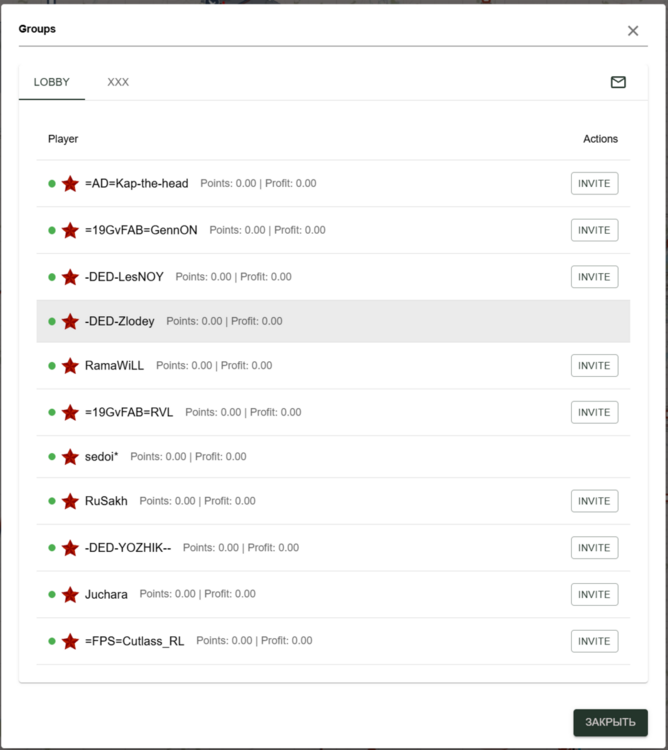
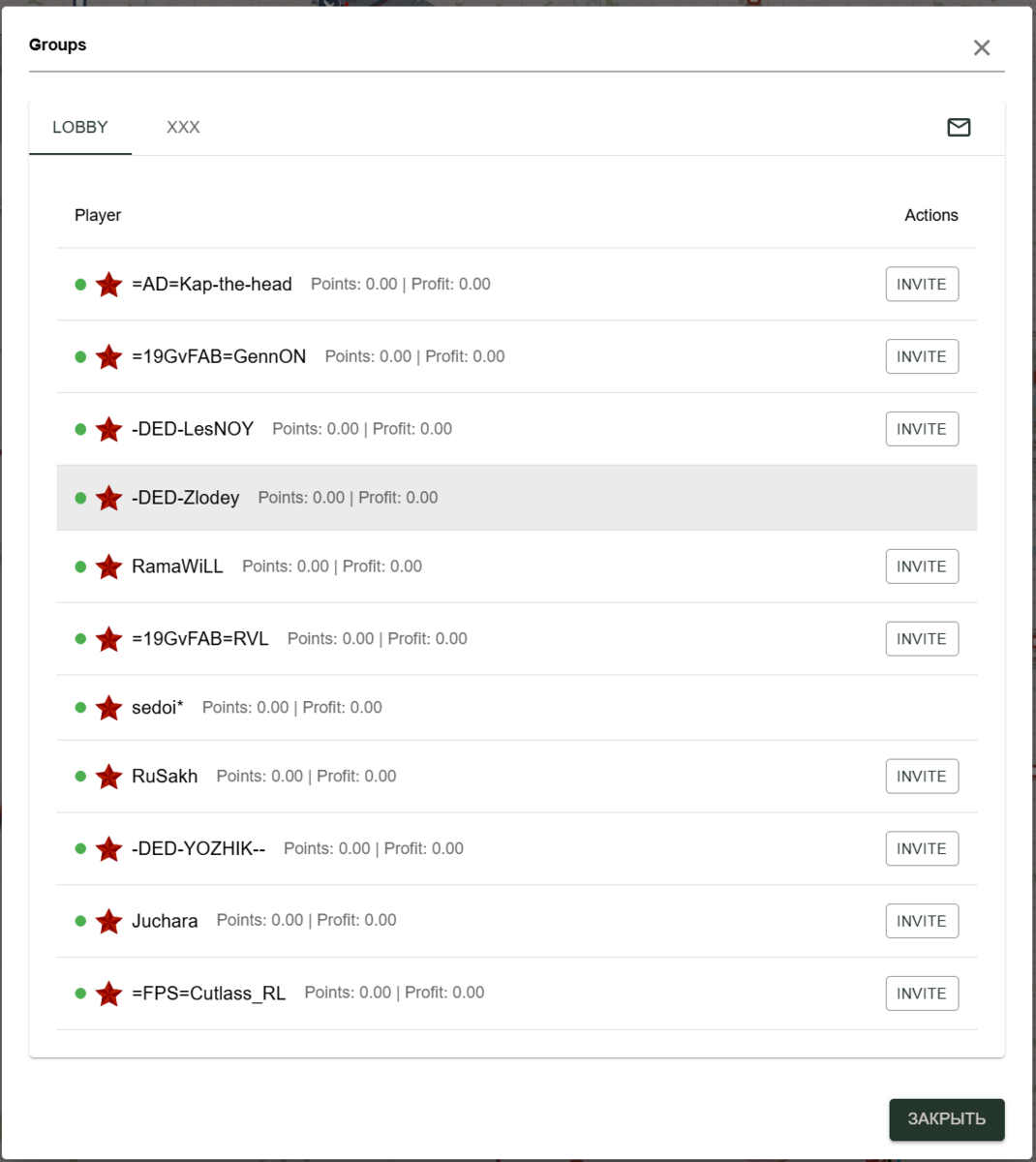
To invite a player to a group, you need to click the "Invite" button in the lobby. If you do not have a "Lobby", write me the exact nickname, I will correct it. This can happen when you open a website in multiple tabs and switch between them frequently.